
Top 6 HIPAA Compliant Scheduling Software for Private Practices in 2026
What to Look for in HIPAA Compliant Scheduling Software
Efficient scheduling may not feel like the most glamorous part of your work as a therapist, but it plays a crucial role in client experience, practice growth, and your cognitive bandwidth.
Beyond that, any software handling client scheduling must be secure and compliant with privacy regulations like HIPAA because appointment details, names, and contact information fall under protected health information (PHI). Getting this right reduces risk, builds client trust, and allows you to focus on what matters most – client care.
In this article, we’ll cover:
- What HIPAA-compliant scheduling software should do for private practices,
- How to choose the right solution, and
- How leading tools stack up.
What HIPAA-Compliant Scheduling Software Should Offer
At its core, HIPAA-compliant scheduling software must ensure that any PHI collected is secure:
- Encrypted data storage and transmission to protect PHI from unauthorized access.
- Role-based access controls so only authorized users can see sensitive information.
- Audit logs and activity tracking that give you visibility into who accessed what and when.
- A signed Business Associate Agreement (BAA) if the software provider handles PHI on your behalf.
For therapists, these compliance features are essential, but they are not sufficient on their own.
Scheduling software should also help your practice operate smoothly and grow. In particular, look for systems that:
- Automate reminders and rescheduling to reduce no-shows,
- Integrated with payments so clients can pay easily when they book or reschedule,
- Work with intake forms to gather client information efficiently,
- Sync with calendars and clinical workflows to reduce cognitive load,
- Offer analytics and insights that help you understand client patterns and develop your practice over time.
How to Evaluate Scheduling Tools for Your Practice
When assessing HIPAA compliant scheduling software for your private-pay practice, consider these factors:
- Does it meet compliance standards?
HIPAA compliance isn’t optional if your system processes PHI. Ask for BAAs and inquire about encryption and access controls. - Does it reduce administrative burden?
Tools that automate reminders, rescheduling, and cancellations save you time and reduce the mental effort of managing your calendar. - Does it integrate well with your billing and documentation?
Standalone scheduling tools may handle appointments but force you to switch platforms for intake, payments, and clinical notes. - Does it support the needs of private-pay workflows?
Practices that rely on self-pay clients benefit from streamlined payment integration and flexible schedule changes. - Is the interface intuitive and trustworthy?
A complex tool can feel like more work, for you and your clients. Look for tools you can easily use without becoming an IT admin.
Comparing Popular Scheduling Solutions
Below is a comparison of widely used scheduling and practice tools. This is focused on features relevant to private-pay therapy practices:
Scheduling & Practice Software Comparison (Private-Pay Therapists)
| Software | Best For | Key Strengths | Notable Limitations | Other features |
|---|---|---|---|---|
| SimplePractice | Solo and group practices that want an established, full-featured EHR | Online appointment requests on every plan, plus a client portal and mobile apps | Reminders and calendar sync start on Essential ($79/mo), not Starter ($49/mo) | Booking widget and group appointments on Plus ($99/mo) |
| Upheal | Private practices wanting fewer tools and less admin overhead | Two-way Google Calendar sync with conflict checks, email and SMS reminders, client self-scheduling in the portal | Two-way sync is Google Calendar only; new clients can't self-book from a public page yet (coming in October) | No-show and late-cancellation fees from attendance statuses. All-in-one EHR with AI notes and insurance billing. |
| Doxy.me | Therapists who primarily need HIPAA-compliant video sessions | Browser-based video with nothing for clients to install; free plan available | No built-in booking: appointments go out as calendar invites or through a scheduling integration | Premium adds group calls, intake and consent forms, and automated session notes |
| Acuity Scheduling | A business that tackles other specialties along with mental health | General appointment booking, best if you mainly need scheduling | Not built for mental health practices | Sells packages, memberships, and gift certificates |
| Jane | Small practices that want a clean, straightforward system | Online booking through a custom-branded site on every plan | AI Scribe is a $15/month add-on per practitioner | Insurance billing is an add-on on the Practice and Thrive plans |
| Phreesia | Independent practices, specialty groups, and health systems | Scheduling, registration, intake, and payments around the visit | Pricing by custom quote | VoiceAI phone agent answers inbound calls and books appointments |
*Acuity signs a BAA for HIPAA compliance only on its Premium plan. Competitor plans and prices checked on each vendor's own site, 1 October 2026.
Why Upheal Works Well for Private-Pay Practices
Therapists with a high proportion of self-pay or private-pay patients often find themselves juggling multiple systems: one for scheduling, another for billing, a third for documentation, and still others for intake and payments. That fragmentation adds cognitive burden and takes time away from clients.
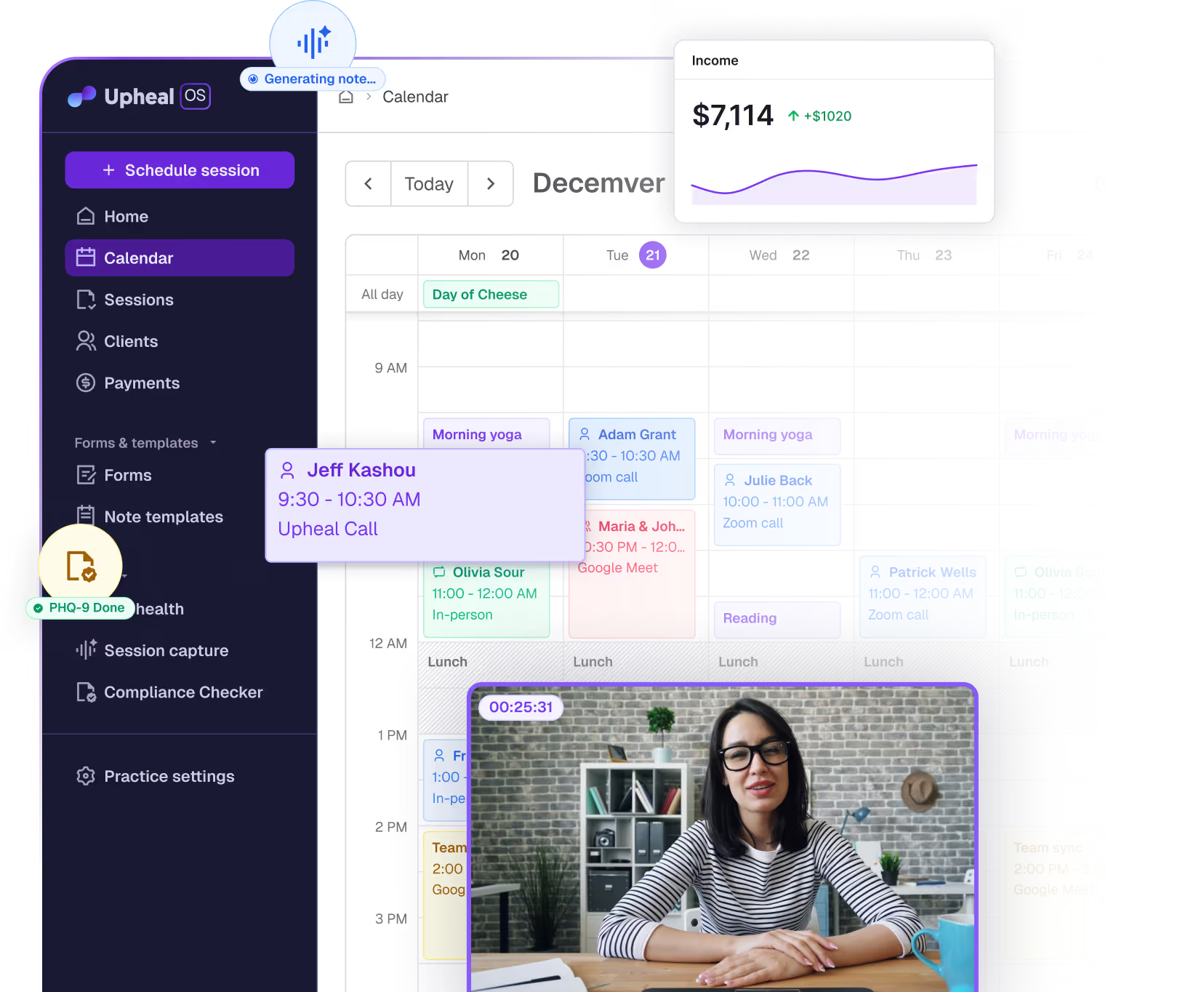
Upheal combines these elements in a way that aligns with the real workflows of therapy practices. It meets HIPAA and additional global privacy standards (including PHIPA, PIPEDA, GDPR, and DPA) and supports modern practice needs:
- Two-way Google Calendar sync with conflict checks before any booking
- Client self-scheduling and rescheduling in the client portal, with email and SMS reminders
- Attendance statuses with optional no-show and late-cancel fees
- Intake forms that feed directly into the clinical environment
- Session prep ten minutes before each scheduled session, and AI notes after it
- A clinician app to reschedule from your phone
This combination is tailored to reduce busywork while protecting client privacy, keeping your clinical focus where it belongs.
Try Upheal for free
Final Thoughts
HIPAA compliance is foundational, but for private-pay therapists, scheduling software should do more than this. It should help you manage sessions with less friction, protect sensitive information, and integrate smoothly with the other parts of your practice.
Evaluating tools based solely on whether they are “HIPAA compliant” is only the first step. What matters more is whether the solution fits how you work, reduces your cognitive load, and supports practice growth.
If reducing fragmentation, simplifying scheduling, and protecting client data are priorities, an integrated platform built around the needs of private-pay therapy practices deserves serious consideration.

.avif)
.svg)
