











Group practices

AI notes and an EHR for your group practice.

Less paperwork for your clinicians, a clearer picture for you. Start with AI notes alongside your current EHR, or bring scheduling and billing over too.

Join our free webinar

In 20 minutes, we'll walk you through migrating your data, setting up payments, connecting your calendar, and covering data privacy — live, every Monday.

Save my spot

How many clinicians are in your practice?

Kristy Castille

“We cut documentation from 15 hrs a week to about 2.”

Kristy Castille, Alliance Family Services
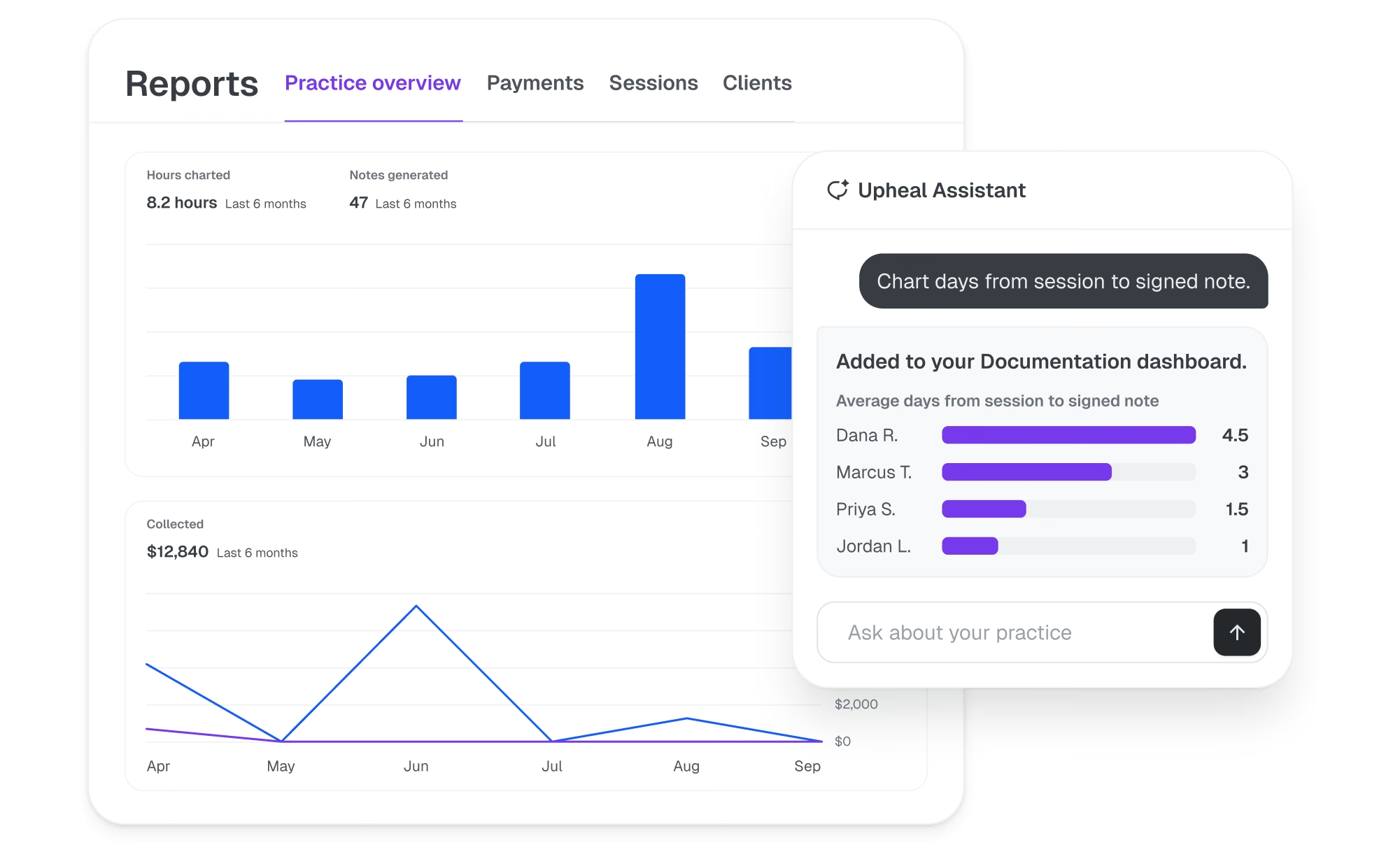
Upheal team dashboard and AI assistant
Trusted by hundreds of group practices

Less to catch up on. Less to chase.

Notes done before the next session.

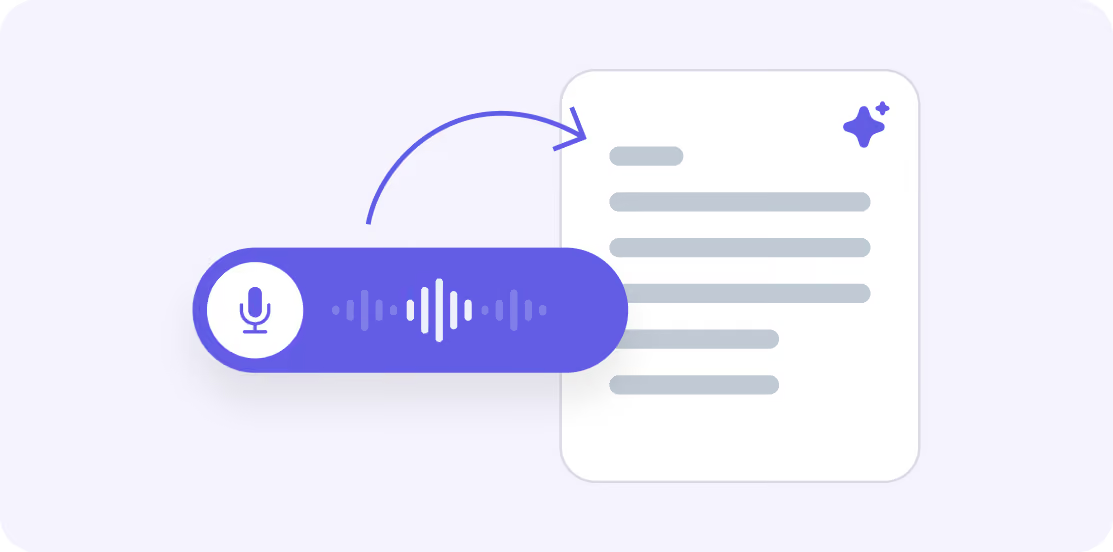
Record or upload a session, and Upheal drafts the note and treatment plan for your clinician to review and sign.

Ten clinicians. One standard.

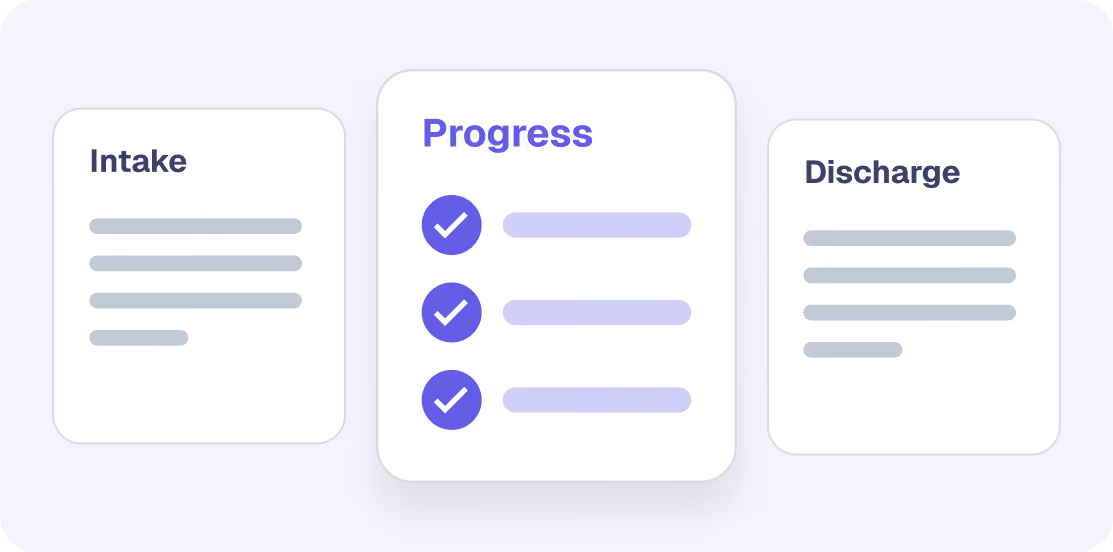
Shared templates keep every clinician’s notes to the same structure.

Pay for sessions, not seats.

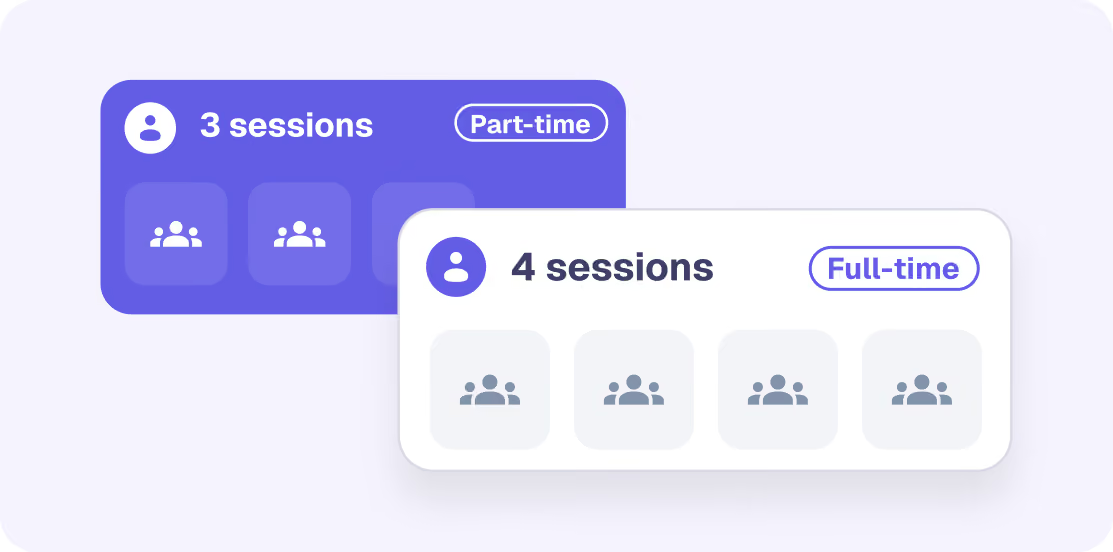
Part-time clinicians cost less, and adding someone new doesn’t add a flat fee.

“I feel like we spend more time talking to each other instead of hiding from each other.”

Kristy Castille

Clinical Supervisor, Alliance Family Services

Upheal Assistant

See what needs your attention without opening every note.

Ask Upheal Assistant about your notes and practice data. It answers, charts, or drafts.
Know which notes need a signature.
Who has unsigned notes from last week?
3 providers have 11 unsigned notes.
Dana R.
6
Marcus T.
3
Priya S.
2
Turn your question into a chart.
Chart days from session to signed note, by clinician.
Average days from session to signed note
Avg. 1.7 days
4.5 days
Dana R.
2 days
Marcus T.
3 days
Priya S.
1 day
Jordan L.
Included in both plans
Claims and payment questions need the Full EHR

Two ways to start.

AI notes only

Keep your current EHR.

Scheduling and billing stay where they are. Notes move to Upheal.
Templates for every program
Drafts from recorded or uploaded sessions
Co-signing + Assistant across your team’s notes

Join our free webinar

In 20 minutes, we'll walk you through migrating your data, setting up payments, connecting your calendar, and covering data privacy — live, every Monday.

Save my spot

How many clinicians are in your practice?

Full EHR

Bring your practice onto Upheal.

Run notes, scheduling, billing, payments, client records, and reporting in Upheal.
Claims from signed notes + drafted denial appeals
Every provider’s calendar in one view, with practice-wide hours set once
Roles for clinicians, billers, and admins

Join our free webinar

In 20 minutes, we'll walk you through migrating your data, setting up payments, connecting your calendar, and covering data privacy — live, every Monday.

Save my spot

How many clinicians are in your practice?

What you get with each plan.

Everything in AI notes is included in the full EHR.
Workflow
AI notes only
Full EHR
Scheduling and client records
Your current EHR
Upheal
Insurance billing and payments
Your current EHR
Upheal
Reports on sessions and payments
Your current EHR
Upheal
Getting notes into your EHR
Smart Fill or copy and paste
Already in Upheal
Moving your data
Optional migration
Guided migration call
Roles and access

Give each person the access their work needs.

Four roles keep clinical records away from non-clinical staff.

Full practice access

Owner / clinical director

Sees every client and every provider. Manages the team and practice settings.

Own clients only

Clinician

Works with their own clients: sessions, notes, treatment plans, scheduling, and messages. Can’t see colleagues’ clients.

Billing access

Biller

Handles claims, invoices, and payments for the whole practice. Sees diagnoses for billing, never session notes.

Admin access

Practice manager

Runs the front desk: clients, calendars, availability, billing, and templates. No caseload, no clinical notes.

Provider retention

The provider you keep is the caseload you keep.

When clinicians take paperwork home, it’s one more reason they leave. Upheal cuts hours of documentation down to minutes a session without changing your EHR.

Up to
90%faster
Finish progress notes faster
About
6 hoursa week
Back per provider
Alliance Family Services

More room for the work between the notes.

The team at Alliance Family Services kept their existing EHR and got their evenings back. Today, around a dozen clinicians use Upheal with shared templates managed in one place.

2 hrs / week
Down from 15 hours of paperwork
12 more clients
Per clinician

It allows us to be more present. Instead of trying to write in your head, you’re just making sure you hit those key questions you put in your template,
and then boom.

Read the full story
Onboarding and migration

We'll help you make the move, without disrupting your practice.

AI-powered migration brings over clients, notes, and history from your current EHR. You decide what moves.

1

Kickoff call.

We'll get your account set up, talk through your team's needs, and show you how to export your data.

2

Migration call.

Your admin uploads the export, and we'll review the AI mapping together.

3

Team setup.

We'll help you set up templates, assign roles, and get your team comfortable with Upheal.

Kira, Upheal customer success manager

I’ll guide your move and stay your contact after launch.

Kira, Customer Success Manager

We take data security and privacy really seriously

HIPAA

Compliant

PHIPA

Compliant

SOC 2

Type II

GDPR

Compliant

Encrypted video calls

Private telehealth sessions

Secure consents

Collected and stored safely

Audit log

Every data access is tracked

Modern cloud

Reliable and secure

Questions group practice owners ask

Is Upheal a full EHR for group practices, or an AI notes tool?

Both. Use Upheal for AI therapy notes alongside your current EHR, or use the full behavioral health EHR for notes, scheduling, insurance billing, payments, and practice reporting.
How do notes get from Upheal into our current EHR?

Three ways. Smart Fill in Upheal’s Chrome extension fills your EHR’s note form in one click, section by section, in SimplePractice, TherapyNotes, Owl Practice, Jane App, and Healthie. With any other EHR, copy and paste the signed note. If you want the systems connected directly, your developers can build an integration with the Upheal API. Ask about access on the demo.

Can we set templates and permissions for our team?

Yes. You can use shared templates or tailor them by program or clinician. The Upheal EHR has four roles, with clinical and non-clinical access separated. Compare the roles and permissions above.

Can we migrate from our current EHR?

Yes, with your customer success manager on each step. Your admin exports from your current EHR, uploads it on a migration call, and reviews the AI mapping with us. With AI notes only, migration is optional.

What if we need a feature Upheal does not have yet?

Tell us on the demo and we will say when, or whether. Supervision workflows beyond co-signing and advanced note customization (dropdown and checkbox fields inside a note) are the two things group practices ask for most that are not built yet. Both are on the public roadmap.

How do you keep client data private?

Upheal is HIPAA compliant and independently audited for SOC 2 Type II. A business associate agreement is included, and session audio is deleted by default after the note is created. Read the trust page for details.

What reporting do practice owners get?

Every group practice gets Reports: five dashboards plus a library of practice reports. With AI notes only, they cover documentation. The full EHR adds sessions, billing, and payments. Export the numbers as a spreadsheet.

How does Upheal compare to SimplePractice or TherapyNotes for a group practice?

SimplePractice and TherapyNotes charge a flat fee per clinician seat and sell AI notes as an add-on. Upheal includes AI notes and compliance checking for every clinician and bills per session held, so a part-time provider costs less than a full-time one. Full comparisons: SimplePractice, TherapyNotes, and our guide to the best EHR for group practices.

How is Upheal different from a general AI scribe?

General scribes are built for a 12 minute medical visit. Upheal is built for a 50 minute therapy session. It knows what a golden thread is, what a payer means by medical necessity, and which sections an auditor reads first. A general scribe gives you a note that looks right. Upheal gives you one that holds up.

Does this work for a practice our size?

Yes. AI notes work at any size, from a two-person practice to organizations with thousands of therapists. The full EHR has no limit on the number of providers.

Can admins set availability for the whole practice?

Yes. Admins set practice-wide hours, time zones, and up to 10 locations once, then apply them to any service. Providers can keep their own hours. Clients book from their provider’s hours and pick in-person, video, or phone where a service offers more than one.

See how Upheal would work for your practice.

Tell us what your team needs, from documentation to billing, and we'll show you the setup that fits.

Join our free webinar

In 20 minutes, we'll walk you through migrating your data, setting up payments, connecting your calendar, and covering data privacy — live, every Monday.

Save my spot

How many clinicians are in your practice?

100% HIPAA compliant

Unlimited AI notes

Free plan