






Upheal is a full EHR. Alongside AI clinical notes it includes scheduling with client self-booking, a client portal, intake forms, secure messaging, telehealth, client payments, superbills, and insurance billing with eligibility checks, claims, ERAs, prior authorization tracking, and AI-drafted appeals.

EHR
The AI-native EHR for therapists and group practices
Schedule, client portal, telehealth, notes, insurance claims, and payments in one place. Upheal drafts your notes and claims and keeps each chart up to date. Nothing is final until you sign off.

4.6 on Trustpilot

SOC 2 Type II audited

HIPAA compliant
63%
of surveyed users cut their paperwork time
1 in 5
saved three or more hours a week
3 in 4
would be very disappointed without Upheal
Based on a survey of Upheal users.
The whole EHR
Everything your practice runs on, finally connected.
Your notes, claims and client records are all connected, so you never have to retype a thing.
Sessions
Online or in the room, it all works the same way.

Telehealth built in, at no extra charge
HIPAA-compliant video, so there’s no separate subscription to pay for.
Clients join from a link
They don’t need an account, and it works in their browser or the Upheal app.
Works for in-person sessions too
Record in the room from the Upheal app, with your client's consent.
A note after every session
Online or in person, Upheal drafts it for you to review.


Insurance billing
From session to paid claim, without the copy-paste.
Know their coverage before you meet
Insurance is collected at intake and checked before the first session.
Claims created from the session
CPT codes, place of service and modifiers are filled in from your note.
See what each payer actually paid
Insurance payments (ERAs) are matched to the right claim automatically.
Denials get a drafted appeal
Upheal drafts the appeal from your note. You review it and send.

Migration
Switching EHRs takes less time than you think.
Most migrations take under an hour.
1
Export from your EHR
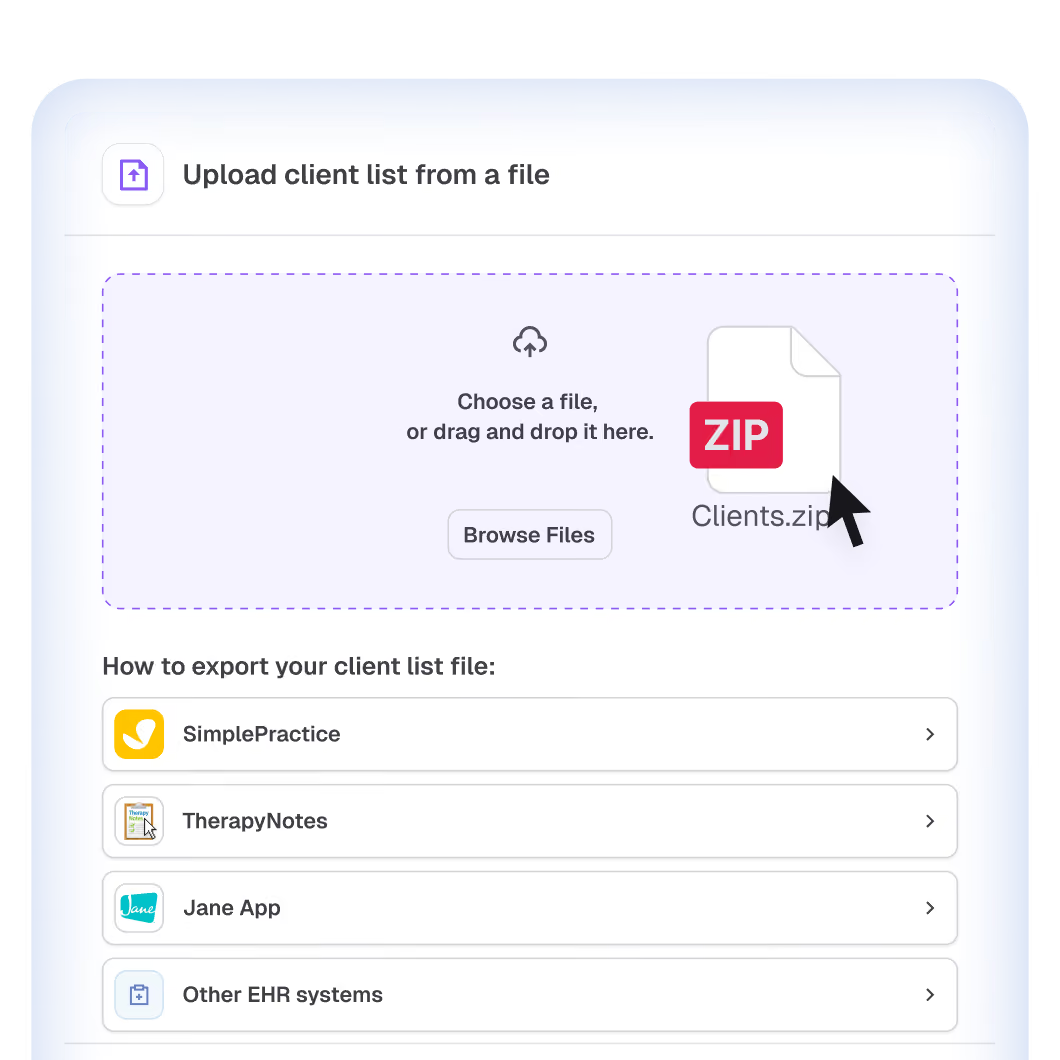
Step-by-step guides for SimplePractice, TherapyNotes, Jane and more.
2
Drop the files in
Upheal sorts each document into the right client’s chart for you.
3
Review and go
Your old records stay in each client’s chart, right where you need them.
Group practice? We’ll walk you through it on a call.
Not ready to switch? Run Upheal for AI notes alongside your current EHR. Move the rest when you’re ready.
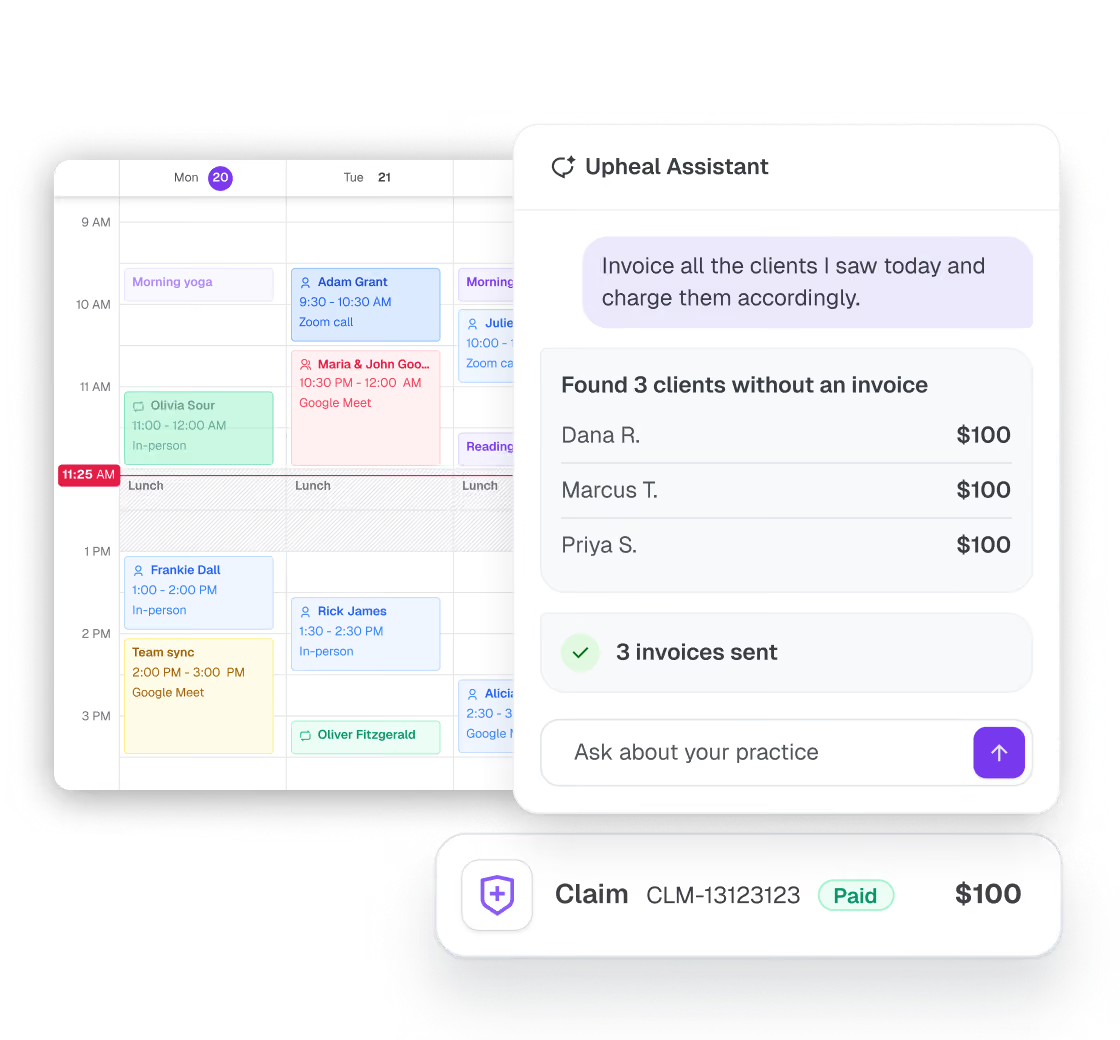
Need to fix a note’s formatting, prep for your next session or send a client a consent form? Just say so. The assistant works from your notes and calendar, so you don’t have to dig for anything. Try it below.
We take data security and privacy really seriously
Your data and your clients' data are handled with extreme care.

HIPAA
Compliant

PHIPA
Compliant

SOC 2
Type II

GDPR
Compliant

Privacy compliant
HIPAA, PHIPA, PIPEDA & GDPR
SOC 2 Type II
Independently audited
Encrypted video calls
Private telehealth sessions
Secure consents
Collected and stored safely
Audit log
Every data access is tracked
Modern cloud
Reliable and secure
Who Upheal is built for
Upheal fits you if you’re
Not a fit yet

Questions therapists ask about Upheal’s EHR
Does Upheal handle scheduling and billing, or is it only for clinical notes?
Can Upheal replace SimplePractice or TherapyNotes?
Yes. Upheal covers scheduling, billing, client records, notes, treatment plans, telehealth, forms, and a client portal. Its AI migration reads your old EHR's export and files your clients, charts, and documents automatically, and you can run Upheal alongside your current EHR until you're ready.
Does Upheal include insurance billing?
Yes: eligibility checks, claim creation and submission, ERA matching, prior authorization tracking with visit counts, and AI-drafted denial appeals. Billing costs $0.30 per claim and $0.15 per eligibility check, with no monthly billing fee and no percentage of your collections.
Is there an EHR for private practice under $100 per month?
Yes. Upheal's EHR is $1 per completed session, pay as you go, so a 10-session week costs about $43 a month. EHR Pro is $99 per month flat for unlimited sessions with Assistant Pro included, and typically pays off around 15 sessions a week.
Is Upheal a good EHR for fully virtual or telehealth practices?
Yes. HIPAA-compliant telehealth is built in at no extra cost, sessions can feed your notes directly, clients join from a single secure link, and claims automatically carry the right place of service and telehealth modifiers.
How do I switch to Upheal from another EHR?
Export your data using Upheal's guides for your current system, upload it, and the AI migration assigns documents to the right client charts for your review. Solo practices can self-serve; group practices get a guided migration. You can also start with AI notes alongside your current EHR and move later.
Is Upheal HIPAA compliant?
Yes. Upheal is HIPAA compliant across all features and SOC 2 Type II audited, with data encrypted in transit and at rest. Upheal signs a Business Associate Agreement on every plan, including the free plan.
Can group practices use Upheal?
Yes. Group practices get every feature per clinician, with role-based access for owners, clinicians, billers, and practice managers, team-wide compliance oversight, and an assisted migration. See the group practices page for details.
Your evenings back. Your whole practice in one place.
Start free with AI notes today. Bring the rest of your practice over whenever you’re ready.

100% HIPAA compliant
BAA on every plan
No credit card needed