New
Insurance billing

From signed note to paid claim

Check eligibility, submit claims, and match payments automatically, all inside the same platform that writes your notes. Pay per claim, with no monthly billing fee.

Launch offer: Free claims till end of September

Insurance billing
Supporting 800+ organizations:

“This is fantastic! I am so glad insurance billing is next. No more having 5 different platforms for clients to use.”
Stephanie Staco, LMHC-D
Sunstone Psychotherapy Mental Health Counseling P.C
Libby Mayes,Registered, Counsellor who used Upheal to help automate Ai clinical notes.
Everything in one place

Billing that's built in, not bolted on

Your EHR knows the session happened. Your notes tool knows what you did. Your clearinghouse knows what you billed. Upheal is one system, so a finished note becomes a claim, a claim becomes a payment, next to the session it came from.

One platform, zero re-entry

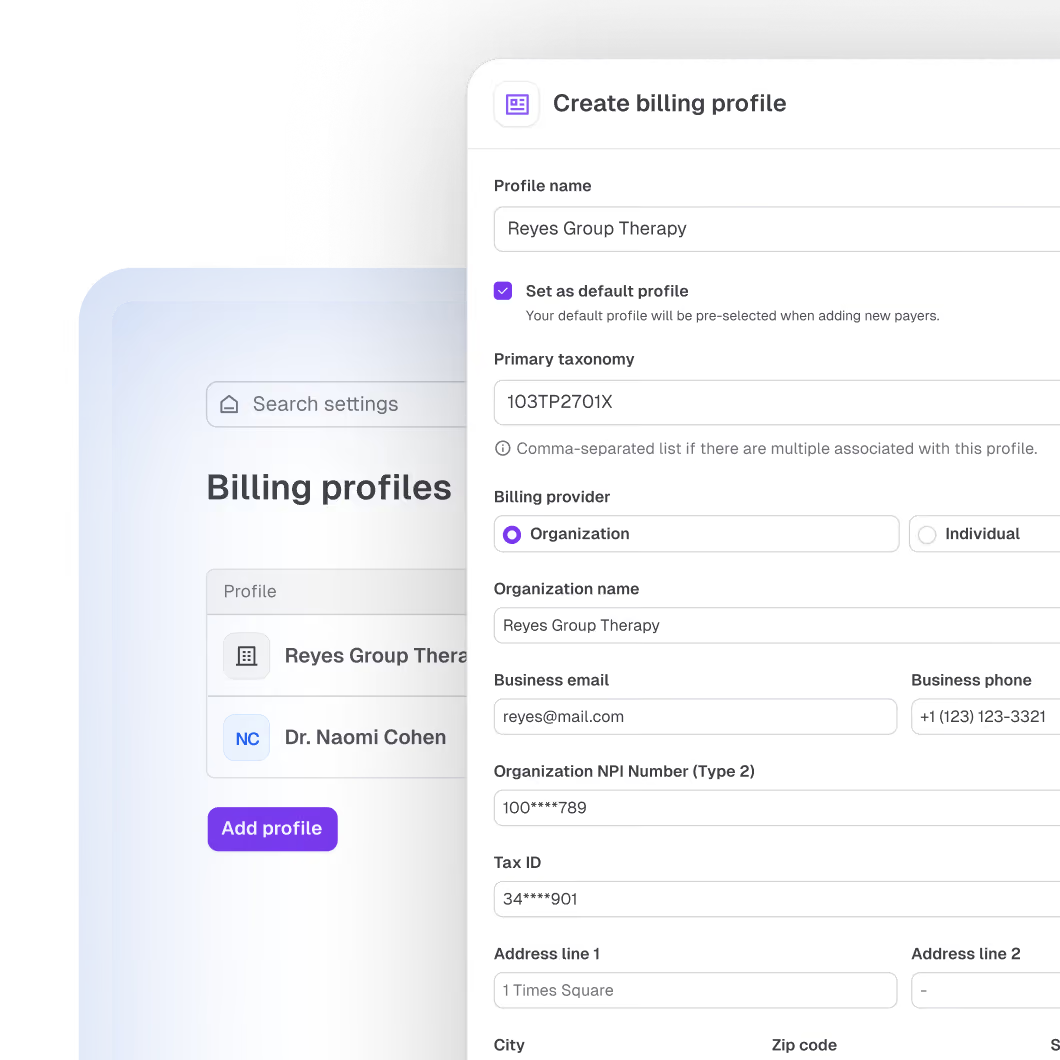
Claims are autopopulated from your provider profile, the session, and the client's insurance. Nothing to copy, nothing to paste.

No monthly billing fee

Billing isn't a subscription add-on. You pay per claim, only when you bill.

One loop for claims, eligibility, and ERAs

Enroll your payers once. Claims, eligibility checks, and ERAs all run through one built-in connection, no separate clearinghouse to manage.

Built with billing pros, backed by real people

Built side by side with professional billers, so payer rules and real world know-how are baked into every flag.

How it works

Set up once, then it does the heavy lifting

Billing that’s built in, not bolted on
Eligibility checks

Know what's covered before the first session

Run an eligibility check inside Upheal for a detailed view of coverage: copays, deductibles, and mental health details when the payer provides them. No payer portal logins needed.
$0.15 per check. That's it.
Billing that’s built in, not bolted on
Payments

See what you expected. See what you got paid.

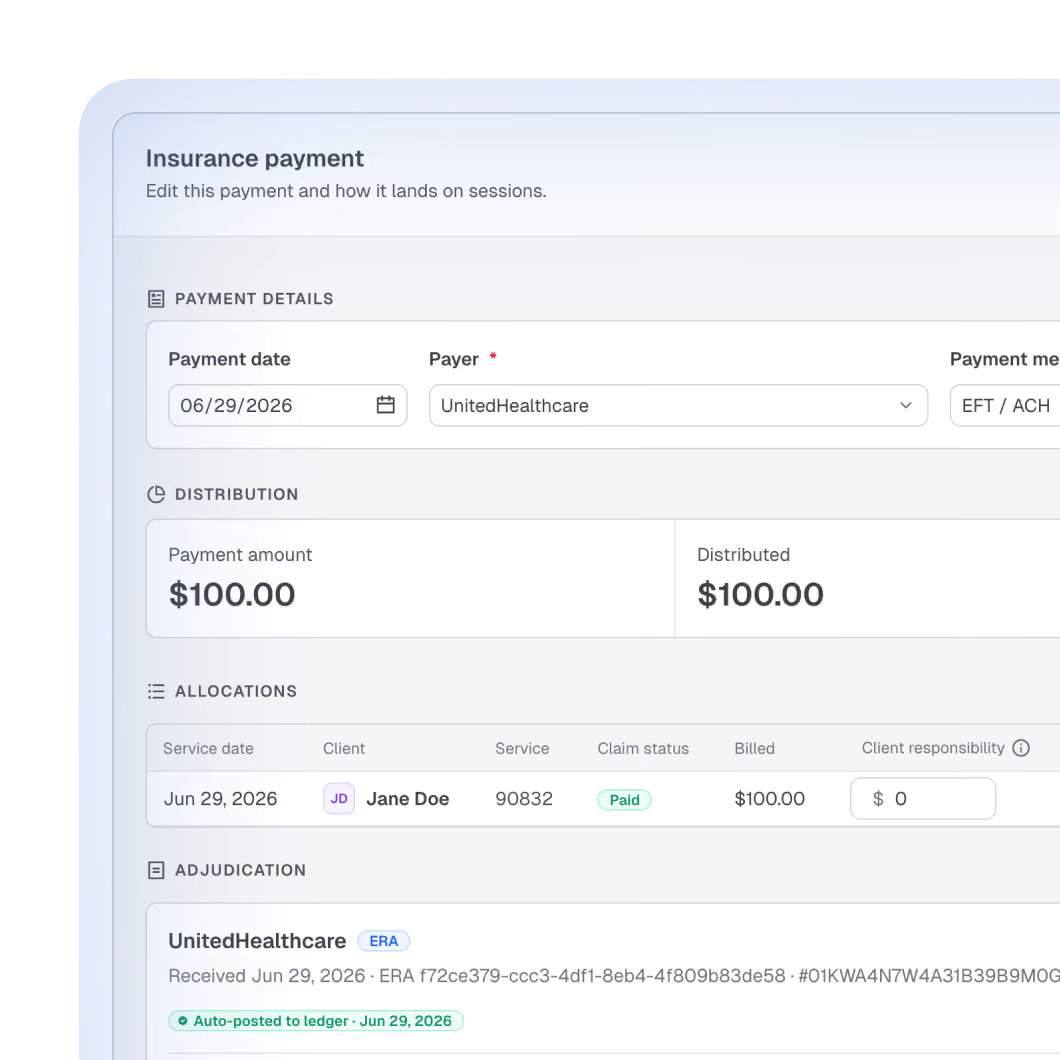
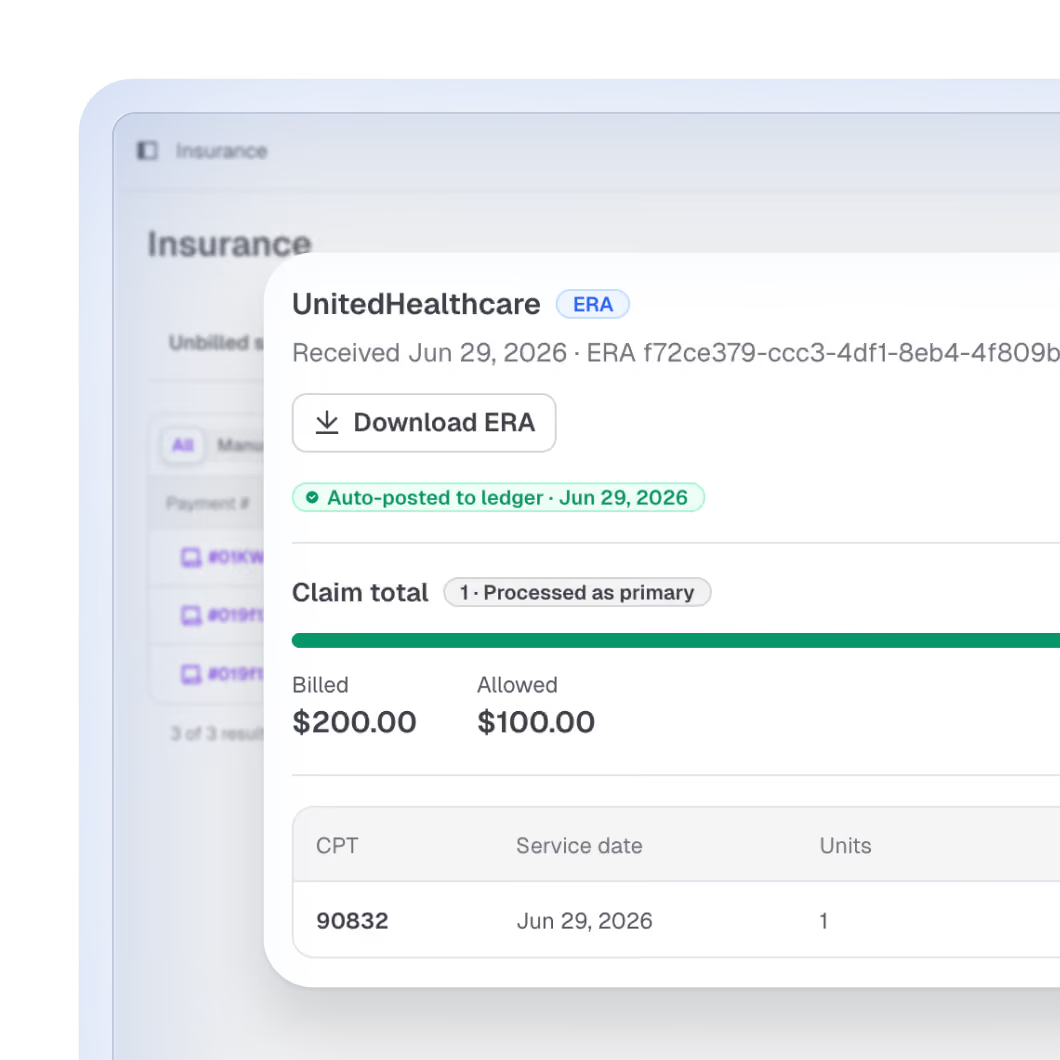
With ERA enrollment, payments match to claims automatically, no manual reconciliation. Because your contracted rates live in Upheal, every session shows expected insurance payment, client responsibility, and write-off. When the ERA arrives, we recalculate and show expected vs. paid, so quiet underpayment doesn't stay quiet.
Keeping your current clearinghouse for now? No problem. Post payments manually from your EOBs or ERAs and keep your books in Upheal while you transition at your own pace.
Billing that’s built in, not bolted on
Billing hub

Every session shows you where the money stands

On every session, the billing hub shows client responsibility, expected insurance payment, and write-off in real time. Open any client and see their balance: what they owe, and what insurance still owes you. So you know exactly when to act, and when to relax.
Billing that’s built in, not bolted on
Client insurance

Insurance details, collected without the back-and-forth

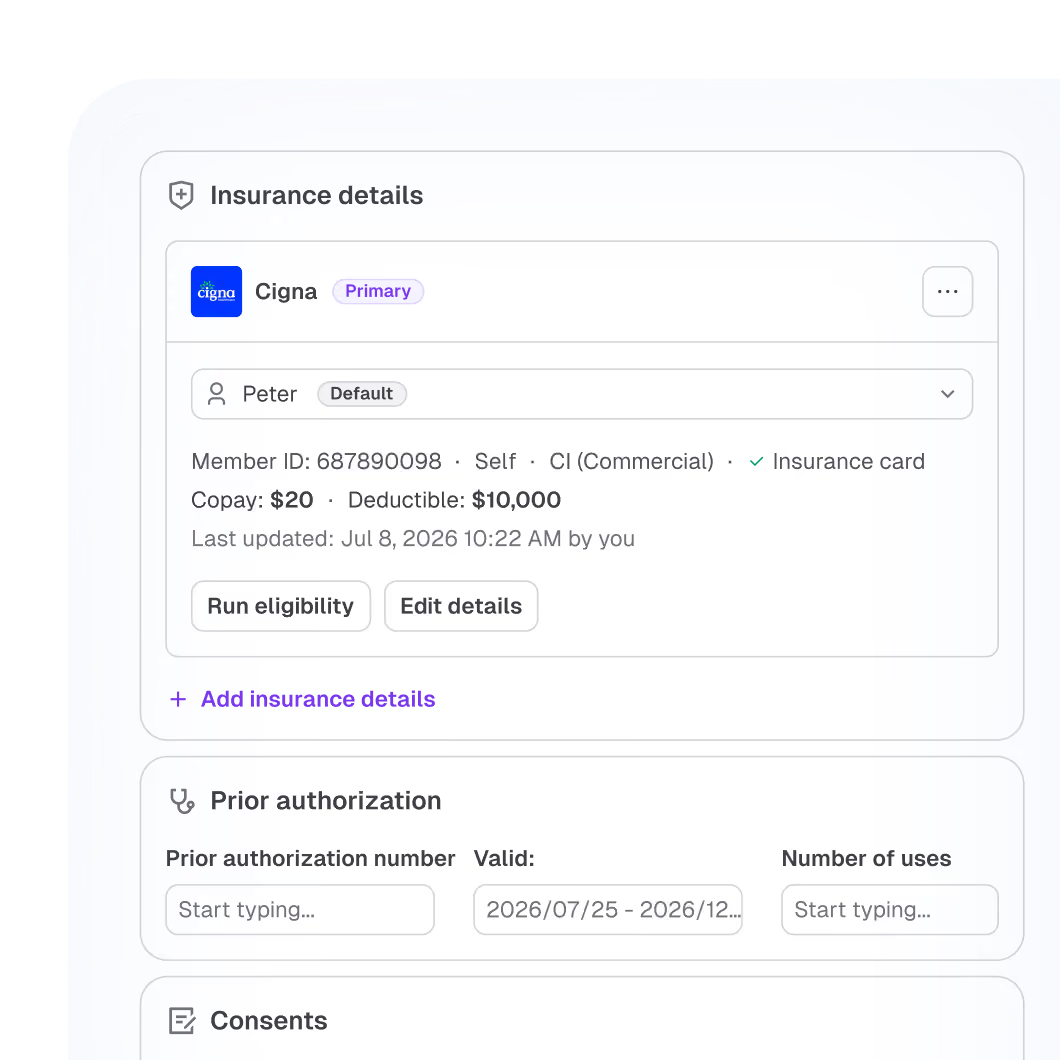
Each client's profile holds primary and secondary insurance, so you can bill both through Upheal. Collect ROI and AOB through digital forms, and let clients snap and upload insurance cards. No more "can you email me a photo of the back, too?"
Billing that’s built in, not bolted on
Denials

Denied claim? Upheal drafts the appeal.

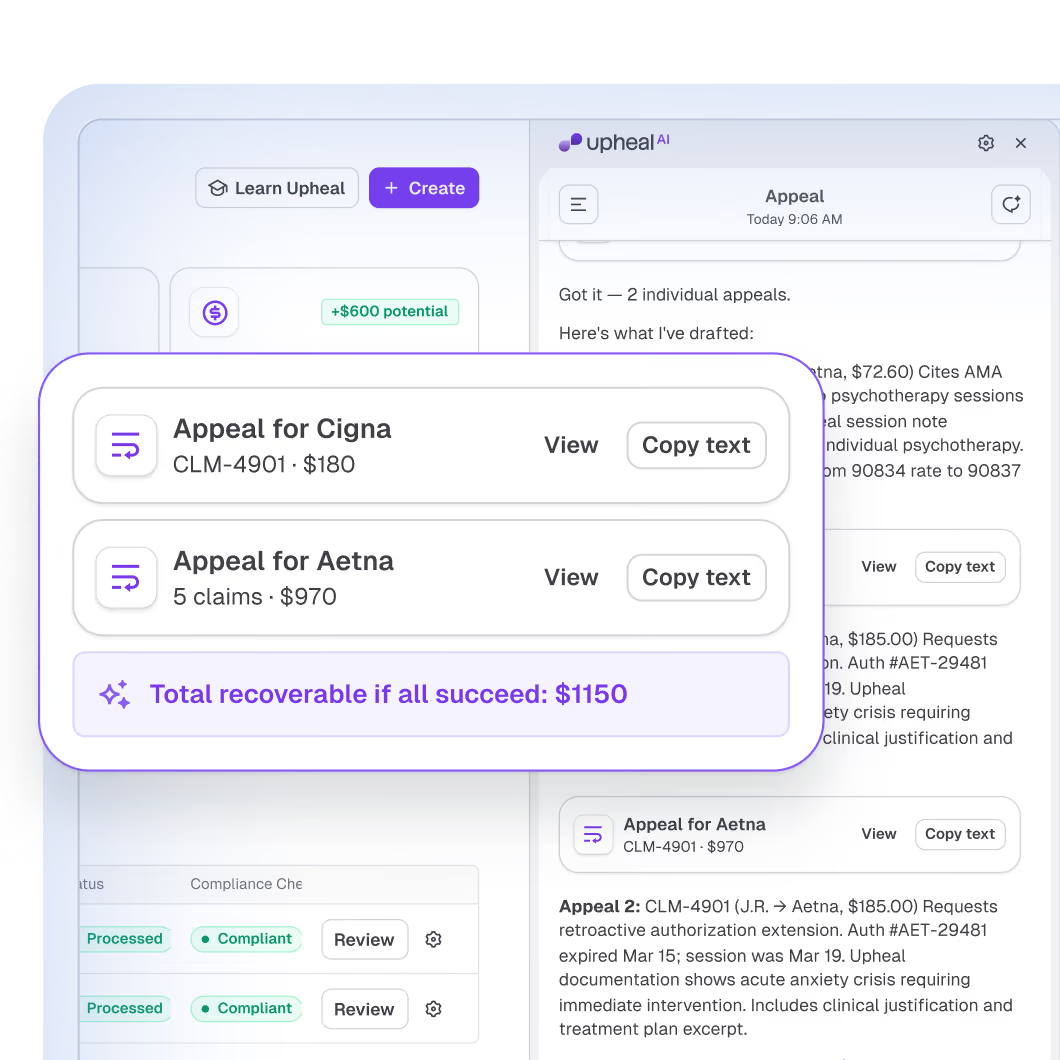
When a claim gets denied, Upheal drafts an appeal for you, pulling the relevant information from the client's chart to establish medical necessity and address the denial reason. What used to be an evening of digging through notes becomes a review-and-send.
Billing that’s built in, not bolted on
AI Assistant

"Which claims need my attention this week?"

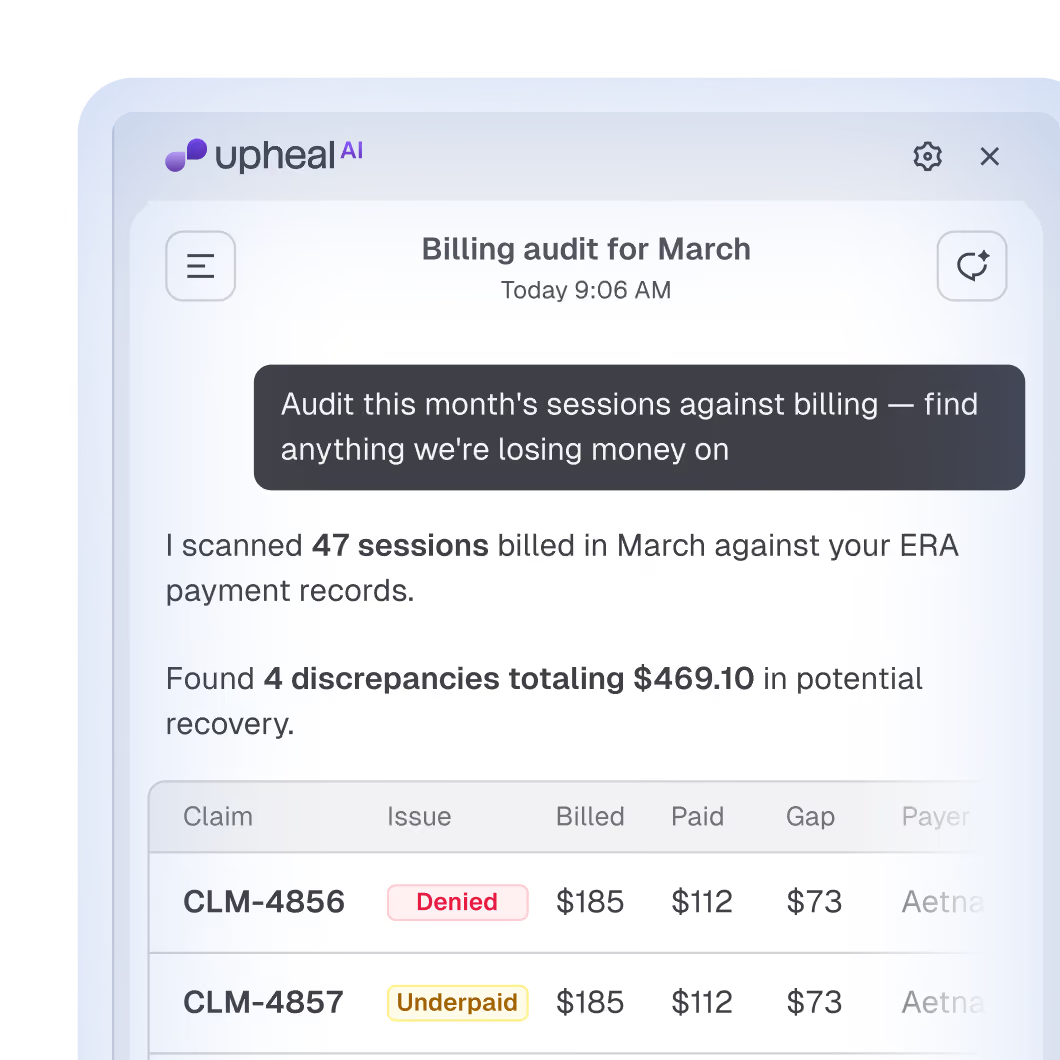
Upheal Assistant knows your clients, your sessions, and your claims. Ask it to check on a claim, find unbilled sessions, or explain a balance, in plain language, without opening a report.
Billing that’s built in, not bolted on
Cleaner notes, cleaner claims

Billing is only as good as the note behind it

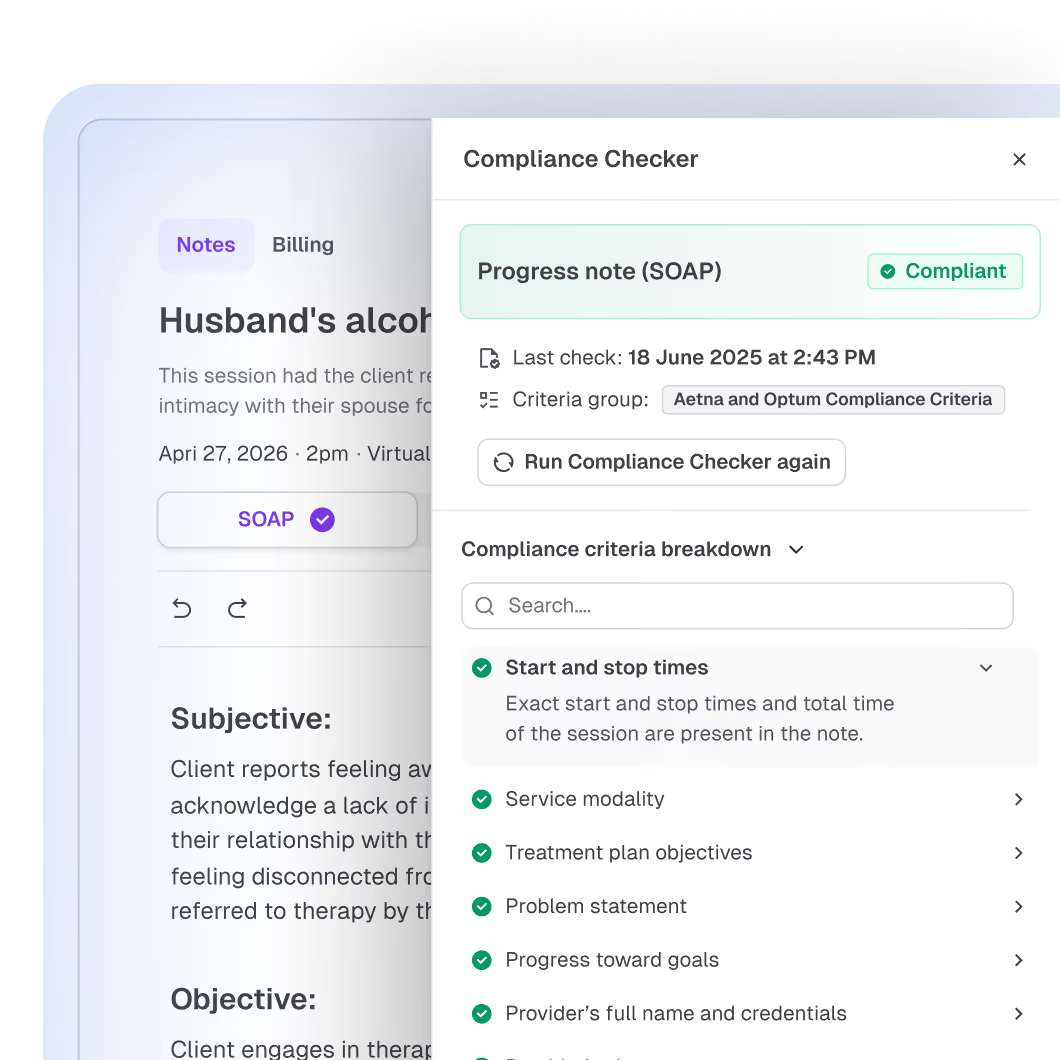
Denials usually start in documentation, not billing. Upheal checks notes against payer requirements before you sign, and treatment plans keep the golden thread intact, so your claim is backed by a chart that holds up, billing from the same place your notes live.
Pricing

Pay per claim,  not per month

Legacy EHRs charge you a monthly fee whether you bill or not. Upheal charges per claim, so you only pay when you bill.

$0.30

per claim submission

$0.15

per eligibility check

$0.00

monthly billing fee

Launch offer: Free claims and eligibility checks till the end of September

Your most popular FAQs

Do I keep my own payer contracts?

Yes. You bill under your own NPI, with your own payer contracts and rates. Upheal gives you the tools to submit claims, check eligibility, and track everything in one place. Your payer relationships stay yours.

Do I need a separate clearinghouse?

No. Clearinghouse connectivity is built into Upheal, the same way a payment processor handles card networks for you behind the scenes. Enroll a payer for electronic claims, eligibility checks, and ERAs, and everything runs through one loop. If you'd rather keep your current clearinghouse for now, you can. Just post payments manually from your EOBs or ERAs.

Do I have to learn billing to use it?

No. Claims fill themselves in from your notes and client details, problems are flagged before you submit, and payments match themselves when the ERA arrives. If a payer rejects something, you'll see why in plain terms. And when you're not sure about anything, ask the Assistant, or get a real person on a call.

What does it cost?

Launch offer: Free claims and eligibilty checks till the end of September. Applicable only for solo practicies.

iInsurance billing is usage-based: $0.30 per claim submission and $0.15 per eligibility check. There's no setup cost and no monthly fee beyond your usual per-session pricing.

Can I bill for clients with secondary insurance?

Yes. Each client's profile holds their primary and secondary insurance, and you can bill secondary claims through Upheal, so clients with two plans don't mean two workflows.

What happens if a claim is denied?

You'll see the denial next to the session it belongs to, along with the reason, and Upheal will draft an appeal for you, pulling relevant information from the client's chart to establish medical necessity. You review, edit if needed, and send.