
Best billing software for therapists and mental health practices (2026)
TL;DR
- For most therapists, the best billing software is an EHR with billing built in, not a standalone tool or a separate service.
- Judge platforms on what happens after submission: ERA auto-posting, denial management, aging reports. Every platform can submit a claim.
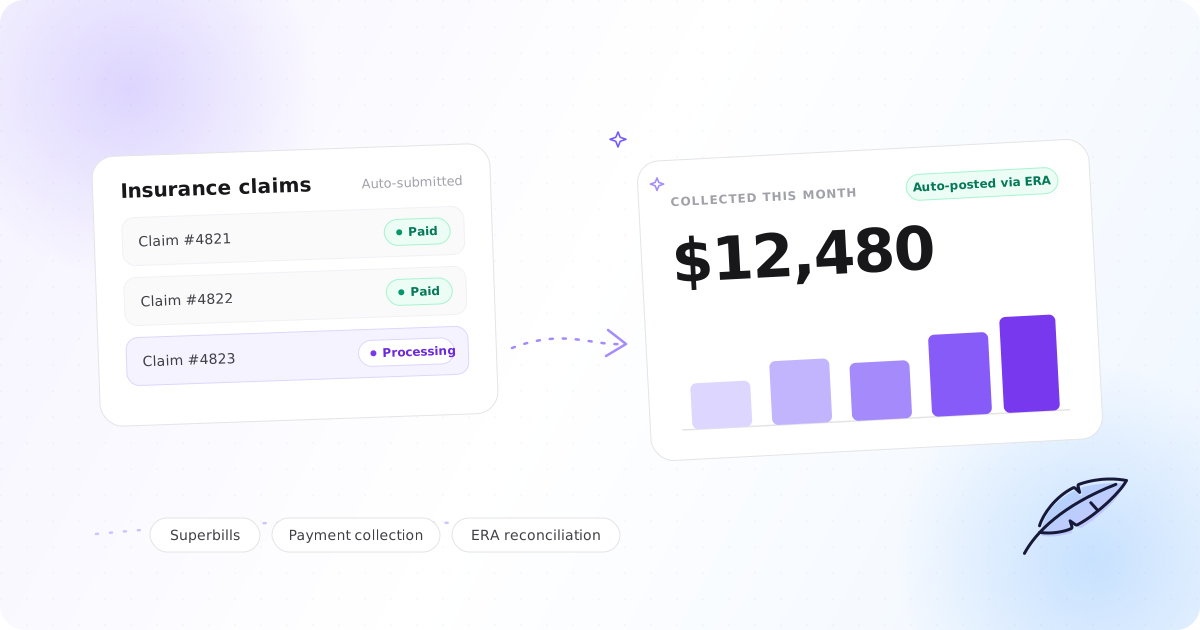
- The newest split in the category is whether the software does the follow-up or just shows you the list. Upheal drafts denial appeals from the chart and follows up client balances automatically, queuing anything ambiguous for a single approval.
- Upheal handles the full loop from signed note to paid claim. The platform is $1 per session, and insurance billing is $0.30 per claim and $0.15 per eligibility check with no monthly billing fee. The $0.30 covers the claim and its ERA.
- AI session notes are included in Upheal's price rather than sold as a per-clinician add-on. Every other platform here charges separately for its AI scribe.
- SimplePractice and TherapyNotes both have mature billing. Both charge extra for AI notes, and both charge per claim on top of the subscription. TherapyNotes' per-claim price is lower than ours.
- TheraNest has the lowest entry price in this comparison, but its $29 plan cannot submit insurance claims at all.
Mental health practices lose somewhere between 5% and 15% of the revenue they have already earned to denied claims, underpayments, and sessions that never get billed. For a solo therapist billing $150,000 a year, that is $7,500 to $22,500 a year lost to admin rather than clinical work.
Most billing software sells you on claim submission. Submission is the easy part. The revenue is won or lost afterwards: tracking what came back, matching payments to claims, spotting the $87 payment on a $105 contracted rate, and appealing denials before the filing deadline passes. This guide compares the leading billing software for therapists and mental health practices on the part that actually matters, and explains why the best answer is usually billing that lives inside the same platform as your notes.
What billing software for therapists should do
Not every billing tool was built with mental health private practice in mind. Before comparing platforms, get clear on the eight things that separate software that protects your revenue from software that just gives you a submit button.
1. Insurance claim submission, with the clearinghouse built in. Your platform should submit electronic claims to payers, track their status, and handle rejections and resubmissions without handing each one back to you. Clearinghouse connectivity should be part of the platform, not a separate account you manage. You should not be printing and mailing claims in 2026. If you are new to this side of practice, our guide to billing insurance as a private practice therapist covers credentialing, CPT codes, and the claim itself.
2. Eligibility verification before the session. A real-time check should confirm coverage is active and show the client's copay, deductible, and mental health benefits before they walk in. This prevents the situation where you see someone for six weeks and then discover their plan lapsed in week one.
3. ERA auto-posting and reconciliation. When a payer processes a claim, they send back an Electronic Remittance Advice explaining what was paid, adjusted, or denied. That should land on the right client's account automatically, matched to the right claim, with expected versus paid shown side by side. If you are the one reading remittance codes and typing them in, that is not billing software, that is data entry with extra steps. This is the single biggest time sink in insurance-heavy practices, and the place where quiet underpayments hide.
4. Denial management, appeals, and aging reports. You need to see every claim sitting unpaid past 30 days, every denial with its reason code, and every resubmission and its outcome. The best platforms go further and draft the appeal for you from the client's chart. Ask to see the aging report in any demo. If the sales rep shows you a revenue summary instead of claim-level detail, that tells you something.
5. Work that gets done, not just surfaced. Every platform can show you a list: unpaid claims, declined cards, balances aging past thirty days. The question is what happens next. Does something draft the appeal, retry the declined card with a message and a fresh payment link, and follow up the balance that is five days late? Or does it hand you the list and wait? This is the newest axis in the category and the one where platforms differ most right now, so it is worth testing directly. Ask three things in a demo: what does it do without me, what does it queue for my approval, and what does it only display. A tool that flags an issue and stops has moved the work, not removed it.
6. Superbills for out-of-network clients. If you run self-pay or a superbill model, the platform should generate an ICD-10-coded superbill from the signed note the moment payment comes in, not as a manual export you have to remember to run.
7. Client payments and invoicing. Card processing should live inside the platform, with stored cards, auto-pay for recurring sessions, balance reminders, and HIPAA-compliant handling of payment data. A separate payment processor stitched on the side is one more place for balances to fall out of sync.
8. Mental health coding and claim scrubbing. The platform should know the therapy CPT codes you use (90837 for 60-minute individual, 90834 for 45-minute, 90847 for family therapy with the client present, 90791 for the diagnostic evaluation), the ICD-10 behavioral health codes, and the payer rules that go with them. It should flag a missing diagnosis code, a CPT and diagnosis mismatch, or an expired authorization before you submit, so you never see the denial at all.
Underneath all eight sits one more requirement: the billing should be connected to your clinical notes. When billing lives outside your documentation, you enter the same information twice, and every re-entry is a chance for a coding error. When the note, the diagnosis code, and the claim live in one place, the claim populates itself from the session, unbilled sessions are visible at a glance, and nothing slips through for months until the filing deadline has passed.
How the leading platforms compare
All four platforms below can submit a claim. The differences are in what happens next, in what the AI costs, and in what you pay per claim once the subscription is paid.
| Feature | Upheal | SimplePractice | TherapyNotes | TheraNest (Ensora Health) |
|---|---|---|---|---|
| Plan price | $1 per session No seat fee | $49 Starter, $79 Essential, $99 Plus, per clinician | $69 solo. Group $79 first clinician, $50 each additional | $29 Essentials, $59 Advanced, $89 Premier, per therapist |
| Insurance claim submission | Built in Clearinghouse included | Yes | Yes | Advanced and Premier only |
| Per-claim fee | $0.30 Covers the claim and its ERA. No monthly billing fee | $0.39 on every plan from 1 Oct 2026, dropping to $0.37 above 250 claims a month. The 10 free claims on Essential and 35 on Plus end on the same date | $0.14 per electronic claim, plus $0.14 per claim inside an ERA. $1 per mailed paper claim | Advanced: 30 free per practice per month, then $0.23. Premier: unlimited, subject to their fair usage policy |
| Eligibility checks | Yes $0.15 per check | $0.15 per manual check on Starter and Essential from 1 Oct 2026, free on Plus until 2027. Navigator replaces manual checks with automated benefit verification | $0.14 per request | Advanced: 30 free per practice per month, then $0.25. Premier: unlimited |
| ERA auto-posting | Yes Auto-matched, expected vs paid | Yes | Yes | Yes |
| Denial appeals | AI-drafted from the client's chart | Manual. Claim Assistant suggests fixes on Insurance Navigator | Manual | Manual |
| Automated follow-up | Yes Declined cards retried with a drafted message and a fresh payment link, aging balances get a reminder, and anything ambiguous is queued for a single approval | Claim Assistant explains a rejected claim and recommends steps; you apply them and resubmit. Insurance Navigator only, $1.79 per claim from 1 Oct 2026 | TherapyFuel is documentation AI: notes, summaries, treatment plans, dictation, and insurance-card capture. Nothing comparable documented on the billing side | Automated billing on per-payer rules: invoicing, claim submission and ERA posting run automatically, with exceptions in one queue. Late-cancel and no-show fees applied from your stored policy. Ensai is documentation AI: note drafting, case summaries, note polishing |
| Superbills | Automatic Generated from the signed note, shared via the Client Portal. US practices | Yes | Yes | Yes, individually or in batches |
| Secondary insurance | Yes Primary and secondary on the client profile | Yes | Yes | Yes |
| AI session notes | Included in the per-session price | Add-on. Note Taker, $35/mo per clinician | Add-on. TherapyFuel, $40/mo per clinician | Ensai notes enhancement included on all plans. The Ensai Session Assistant scribe is a $35/mo per-provider add-on on every plan, including Premier |
| Client card payments | 2.9% + $0.30 | 3.15% + $0.30 | 3.1% + $0.30 | 2.99% + $0.30 |
| Best for | Solo and small group practices, any payer mix | Practices already established on it | Billing-first practices | Budget-conscious solos who do not bill insurance |
Competitor figures verified against each vendor's own pricing, product, and support pages on 7 September 2026: SimplePractice subscription and pricing FAQs and Introducing Insurance Navigator, TherapyNotes pricing and subscription options and the TherapyFuel overview, TheraNest pricing and the TheraNest product page. SimplePractice's insurance pricing changes on 1 October 2026 and the table above is stated for the new rates throughout. Platform pricing changes; check each vendor's pricing page before deciding.
Upheal
Upheal is built around one idea: your billing platform should already know your clients, because it is the same place you write your notes. A finished note becomes a claim, a claim becomes a payment, and both sit next to the session they came from. There is no re-entry step and no separate clearinghouse account to manage.
How it works. Set up a billing profile with your details and contracted rates, then enroll each payer for claims, eligibility checks, and ERAs. You bill under your own NPI with your own contracts. When you sign a note, you create the claim in one click, or batch-create claims for every unbilled session. Run an eligibility check before the first session and you see copays, deductibles, and mental health benefits without logging into a payer portal. When the ERA arrives, Upheal matches the payment to the right claim, recalculates what the client owes, and shows expected against paid, so an underpayment cannot stay quiet. If a claim is denied, Upheal drafts the appeal from the client's chart to establish medical necessity. You review and send. Each client's profile holds primary and secondary insurance, so clients with two plans do not mean two workflows. Superbills are generated from the signed note with ICD-10 and CPT codes in place and shared with clients automatically through the Client Portal, and client card payments run at 2.9% + $0.30.
Cleaner notes, cleaner claims. Most denials start in the documentation, not the billing. Upheal's compliance checker reviews the note against payer requirements before you sign, and treatment plans keep the golden thread intact, so the claim is backed by a chart that holds up.
The follow-up runs itself. Getting paid is rarely one action, it is a chain of small ones nobody has time for. Declined cards are retried with a drafted message and a fresh payment link, aging balances get a reminder, and anything ambiguous is queued for a single approval rather than acted on quietly. You keep the decisions that need a human and lose the ones that do not.
AI where it matters. AI session notes are part of the per-session price rather than a per-clinician add-on, which is not true of any other platform in this comparison. Assistant Pro is a $39/month add-on that knows your clients, sessions, and claims, so you can ask it which claims need attention this week, find unbilled sessions, or explain a balance in plain language without opening a report.
What it costs. Upheal costs $1 per session, with no seat fee. Insurance billing is usage-based on top of that: $0.30 per claim submission and $0.15 per eligibility check, with no setup cost and no monthly billing fee. The $0.30 covers the claim and its ERA, and a rejected claim that you correct and resubmit is not charged twice. Assistant Pro is a $39/month add-on. See pricing for the full breakdown.
See how Upheal's insurance billing works, or compare Upheal and SimplePractice on billing, documentation, and pricing.
Best for: Solo practitioners and small group practices that want AI notes, billing, and a practice-aware assistant in one place, whether the caseload is private-pay, insured, or a mix.
SimplePractice
SimplePractice is the most widely used EHR in US mental health private practice. Its billing is mature and comprehensive: claims, ERA posting, eligibility checks, a strong client portal, and a large user community. Group plans include free accounts for non-clinician billers, which matters if you work with an external biller.
The trade-off is cost and fragmentation. AI notes are a $35 per month per-clinician add-on, and live recording runs inside SimplePractice Telehealth on the web or through their mobile app for in-person sessions. Plans run $49 Starter, $79 Essential, and $99 Plus, and functionality is gated by tier in ways that catch people out: calendar sync and appointment reminders need Essential, and adding any team member at all needs Plus. Claim fees sit on top. From 1 October 2026 every plan starts at $0.39 per claim, and the 10 free claims a month on Essential and 35 on Plus disappear on the same date, so practices on those tiers see a per-claim bill where they previously saw none. We worked through what that costs by plan and claim volume in our guide to SimplePractice's new insurance pricing. CPT code licensing carries a separate annual AMA fee.
Worth knowing if follow-up matters to you: from 1 October they also offer Insurance Navigator, a paid tier that adds Claim Assistant, automated benefit verification, EOB autofill, and phone access to insurance specialists. Claim Assistant is genuinely AI, and it is advisory: it explains what went wrong on a rejected claim and recommends steps, then you apply the fix and resubmit through their corrected-claim workflow. The specialists are human and reached by phone. Navigator does not raise your subscription, but it moves the per-claim fee from $0.39 to $1.79 and replaces manual status checks with automated verification.
Best for: Practices already established on SimplePractice where the cost of switching outweighs the savings, or practices that prioritize breadth of third-party integrations.
TherapyNotes
TherapyNotes is a billing-first EHR designed by therapists. Its insurance aging reports are among the best in the category, giving billers the claim-level detail they need for reconciliation. Coding logic for psychotherapy is built in, support is 24/7 by phone and email, client data import from another EMR is free, and the system is reliable.
Two things are worth saying plainly. First, on per-claim price they beat us: $0.14 per electronic claim plus $0.14 per claim inside an ERA is $0.28 for the pair, against our $0.30 for the same pair, and eligibility requests are $0.14 against our $0.15. If the per-claim line is your only criterion, TherapyNotes wins it. Second, the cost argument against them is the stack, not the claim fee. Solo is $69 a month, group practices pay $79 for the first clinician and $50 for each additional one, TherapyFuel adds $40 per clinician for AI notes and treatment plans, and full-featured video is another $15. A solo clinician who wants AI notes and Premium Telehealth is at $124 a month before a single claim is filed. The interface is also dated and there is no dedicated mobile app.
TherapyFuel is documentation AI rather than billing AI. Their own feature list covers progress notes from a summary or a transcript, client history summaries, contact notes from secure messages, treatment plans, session prep summaries, dictation, and pulling policy details from a photo of an insurance card. That last one saves real time on billing setup, but the follow-up work after a claim goes out stays manual. One genuine plus that is easy to miss: enabling TherapyFuel for a single clinician unlocks client history summaries, contact notes, and insurance policy capture for the whole practice at no extra cost, so the $40 does not scale the way a straight per-seat fee would.
Best for: Practices where billing accuracy and reliable support are the primary criteria and a modern interface is not. Compare Upheal and TherapyNotes.
TheraNest (Ensora Health)
TheraNest, the mental health EHR from Ensora Health, has the lowest entry price in this comparison at $29 per therapist a month, and scheduling, notes, and billing live in one platform. Read what that entry tier does before you anchor on the number: the $29 Essentials plan cannot submit insurance claims or run eligibility checks at all. Insurance billing starts on Advanced at $59, which includes 30 claims and 30 eligibility checks per practice per month before per-unit fees apply, and unlimited claims require Premier at $89.
The add-ons matter too. Telehealth is a $12 per therapist add-on on Essentials, though it is included on Advanced and Premier. The Ensai notes enhancement, which polishes a note you have written, is included on every plan, but the Ensai Session Assistant, which is the actual session scribe, is $35 per provider per month on every plan including Premier. There is also a $19.50 annual AMA CPT licence fee per therapist, billed each December. Users report a steeper learning curve than the alternatives. Evaluate the total cost after the add-ons you will actually need.
Credit where it is due on automation, and there is more of it than the entry price suggests. TheraNest's automated billing runs invoice creation, claim submission, and ERA posting on rules you set once per payer, and surfaces exceptions in a single queue when a decision actually needs you, which is the same shape as the best implementations in this comparison. Late-cancel and no-show fees are applied automatically from the policy you have already set, and reporting shows what is missing, unpaid, and unresolved across the practice without opening individual charts. Ensora also sells RCM Essentials, a human billing service priced as a flat fee rather than a percentage of collections, which is a different trade from Upheal Managed Billing at 5.9%. Ensai itself is documentation AI: note drafting, case summaries, and suggestions as you write.
Best for: New private-pay practices that want the lowest entry price and are willing to work around feature limits. If you bill insurance from day one, Essentials is not the plan to compare against.
What about Tebra, and other medical billing platforms?
Tebra (formerly Kareo) comes up in searches for therapist billing software, and it sits outside the table above for two reasons. It is a medical billing platform serving many specialties rather than a mental health EHR, so its documentation and AI are not built for therapy the way the four platforms above are. And we have not verified its current pricing or feature set against Tebra's own pages, so rather than carry unchecked figures we have left it out of the comparison entirely. Its revenue-cycle tooling is aimed at larger organizations with dedicated billing staff. If that describes your practice, it is worth a demo, and confirm pricing and behavioral health specifics directly with Tebra.
Standalone software, an integrated EHR, or an outsourced biller?
Billing can live in three places, and the choice shapes everything else. If you are still deciding between cash-pay, insurance, and a hybrid model underneath that choice, our clinician's guide to therapy billing goes deeper on the trade-offs.
Standalone billing software handles only the money: claims, superbills, payments, collections. Nothing about your session notes or diagnosis codes lives there, so you are the one keeping two systems in sync. For a practice that also needs documentation and scheduling, this is generally the worst of the three options and is rarely worth it.
An EHR with billing built in puts the note, the diagnosis code, and the claim in the same place. That is the whole advantage: no manual transfer, fewer coding errors, unbilled sessions visible at a glance, and one bill instead of two. For most solo and small group practices this is the right answer, and every platform in the comparison above works this way.
An outsourced biller flips the equation. You typically pay 5 to 10 percent of collections, and in exchange you get specialized expertise: someone who knows each payer's quirks, works every denial, and often achieves higher overall reimbursement through effective appeals. The trade-offs are cost and some loss of direct control, and the model only works well when your software gives the biller clean, role-based access to your billing data without exposing clinical notes.
There is a fourth option now that sits between the last two. Upheal Managed Billing is a full revenue-cycle service run inside the same platform that writes your notes: a senior behavioral health biller handles eligibility, claims, denials, appeals, and patient balances, AI handles the routine work, and because your documentation and your claims live in one system the claim is coded from what actually happened in the session. It is 5.9% of collections, you keep your own NPI and contracts, and it is currently in closed beta with a waitlist open.
How to choose, and what to ask in a demo
The right question is not which platform has the most features. It is which platform reduces the total time you spend on administrative work, and protects the revenue you have already earned.
Start with your reality. A new solo practitioner with mostly private-pay clients needs different things from an established group managing complex insurance panels. Your current situation and where you are heading should drive the decision.
Calculate the real cost. Starter pricing rarely tells the full story, and the cheapest headline number is often the tier that cannot do the job. Check what the entry plan excludes, then add up per-claim fees, per-reminder fees, additional user seats, the AI notes add-on, and whatever telehealth costs on top. Then compare.
Plan for a biller even if you do not have one. Administrative burden is what burns therapists out. A platform that supports external biller access gives you an exit strategy without changing your whole stack.
Test the billing workflow, not the notes. Everyone does notes and scheduling well in a trial. Submit test claims, apply a partial payment, generate an aging report. Imagine yourself three months in, trying to work out why you are still owed money on a claim from sixty days ago, and ask whether this platform gives you the tools to solve it.
In the demo, ask for five things specifically:
- Show me your aging report.
- Walk me through the denial tracking workflow.
- Show me how a payment is applied when the ERA arrives.
- Show me a partial payment with an unclear denial reason and how you would resolve it.
- Show me what happens to a declined card without me touching it.
If the sales team struggles with any of these, or shows you a revenue summary where you asked for claim-level detail, that is the answer.
Frequently asked questions
What is the best billing software for a solo therapy practice?
For most solo practices, the best option is an EHR that includes billing rather than a standalone billing tool. Upheal, SimplePractice, and TherapyNotes are the most commonly used platforms among US private practice therapists. The right choice comes down to whether AI documentation matters to you, how much of your caseload is insured, and how much you want the platform to do after the claim is submitted.
Can billing software chase unpaid balances for me?
Some of it can now, and this is the newest difference between platforms. Upheal retries declined cards with a drafted message and a fresh payment link, follows up balances that are aging, and queues anything ambiguous for a single approval rather than acting on it quietly. TheraNest runs invoicing, claim submission, and ERA posting on per-payer rules with an exception queue, and applies late-cancel and no-show fees automatically from your stored policy. SimplePractice's Claim Assistant, on the paid Insurance Navigator tier, explains what went wrong on a rejected claim and recommends steps, but you apply the fix and resubmit yourself. When you compare platforms, separate what runs without you from what merely appears on a list.
Does Upheal's EHR accept insurance?
Yes. Upheal submits claims individually or in batches, checks eligibility before a session, matches ERA payments to claims automatically, drafts appeals for denied claims, and supports primary and secondary insurance on every client profile. Clearinghouse connectivity is built in, and you bill under your own NPI with your own payer contracts. Insurance billing costs $0.30 per claim and $0.15 per eligibility check, with no monthly billing fee.
Does Upheal support secondary insurance claims?
Yes. Each client's profile holds both primary and secondary insurance, and you can bill secondary claims through Upheal, so clients with two plans do not mean two workflows.
What is ERA posting in therapy billing?
ERA stands for Electronic Remittance Advice: the file a payer sends back explaining what was paid, adjusted, or denied on a claim, and why. ERA auto-posting means your billing software reads that file and applies the payment to the correct client account and claim automatically, without manual entry. The best implementations also show expected payment against actual so underpayments are visible.
What CPT codes do therapists use for billing?
The most common psychotherapy CPT codes are 90837 (60-minute individual session), 90834 (45-minute individual session), 90847 (family therapy with the client present), and 90791 (psychiatric diagnostic evaluation). Telehealth sessions use the same codes with the appropriate modifier. Your billing software should support all of these by default and pair them with the right ICD-10 diagnosis codes.
Can I bill insurance without a clearinghouse?
Most EHRs built for mental health include their own clearinghouse connectivity, so you do not need a separate account. Check whether your EHR connects directly to your specific payers; some smaller regional payers require separate enrollment.
How much does therapist billing software cost?
It depends on the model. Most EHRs charge a monthly licence per clinician, with billing either included in a higher tier or charged per claim on top. Standalone billing services run $50 to $200 or more per month. Outsourced billers charge 5 to 10 percent of collections. Upheal costs $1 per session with no seat fee, and insurance billing is $0.30 per claim submission and $0.15 per eligibility check with no monthly billing fee. For comparison, from 1 October 2026 SimplePractice charges $0.39 per claim on every plan on top of a $49 to $99 monthly subscription, and TherapyNotes charges $0.14 per electronic claim plus $0.14 per claim inside an ERA on top of $69 a month for a solo provider.
Which platform has the lowest per-claim fee?
TherapyNotes, at $0.14 per electronic claim plus $0.14 per claim inside an ERA. Upheal is $0.30 for the claim and its ERA together, and SimplePractice moves to $0.39 on every plan from 1 October 2026. Per-claim price is only one line of the bill, though. Compare the subscription, the AI notes add-on, telehealth, and reminder fees alongside it, because those differences are usually larger than the cents-per-claim gap.
Is it worth hiring a billing service instead of using software?
For most practices on a modern EHR with strong ERA automation, in-house billing through software is more cost-effective. A billing service can still make sense for practices with complex insurance mixes or a clinician who does not want to touch billing at all. If you want that without giving up your contracts, Upheal Managed Billing does the work inside your EHR at 5.9% of collections.
Do I need different billing software if I use telehealth?
No. Every platform in this comparison supports telehealth billing. Telehealth sessions use the same psychotherapy CPT codes as in-person ones with the appropriate place-of-service code and modifier. Confirm with each payer that they accept telehealth claims and what they require.
Can my EHR generate superbills automatically?
Yes, if your EHR includes billing. Upheal generates superbills from the signed note, with the ICD-10 and CPT codes already in place, and shares them with clients automatically through the Client Portal for out-of-network reimbursement. Superbills are available to US practices.
Get billing handled without a second job
The best billing software for therapists does not just organize the overhead. It removes most of it. Integrated billing, AI-generated notes, and automated scheduling together mean the admin work that used to eat a full afternoon each week fits between sessions. Try the billing workflow end to end before you commit to anything.
Start free at upheal.io/signup, no credit card required. For the full practice management picture, see the best practice management software for therapists.


.avif)