



It is when the assistant works inside a HIPAA-compliant system and never sends anything without you. Upheal Assistant drafts the message or proposes the new time, shows you what it is about to do, and waits for your approval. Clients only ever hear from you, and if a draft is wrong you catch it in review.

AI Assistant
Just ask.
It gets it done.
Session prep, letters, scheduling, invoices and claims. Upheal’s AI Assistant works from your chart, calendar and billing, so it finishes the job, not just the draft.

4.6 on Trustpilot

SOC 2 Type II audited

PHIPA & PIPEDA compliant
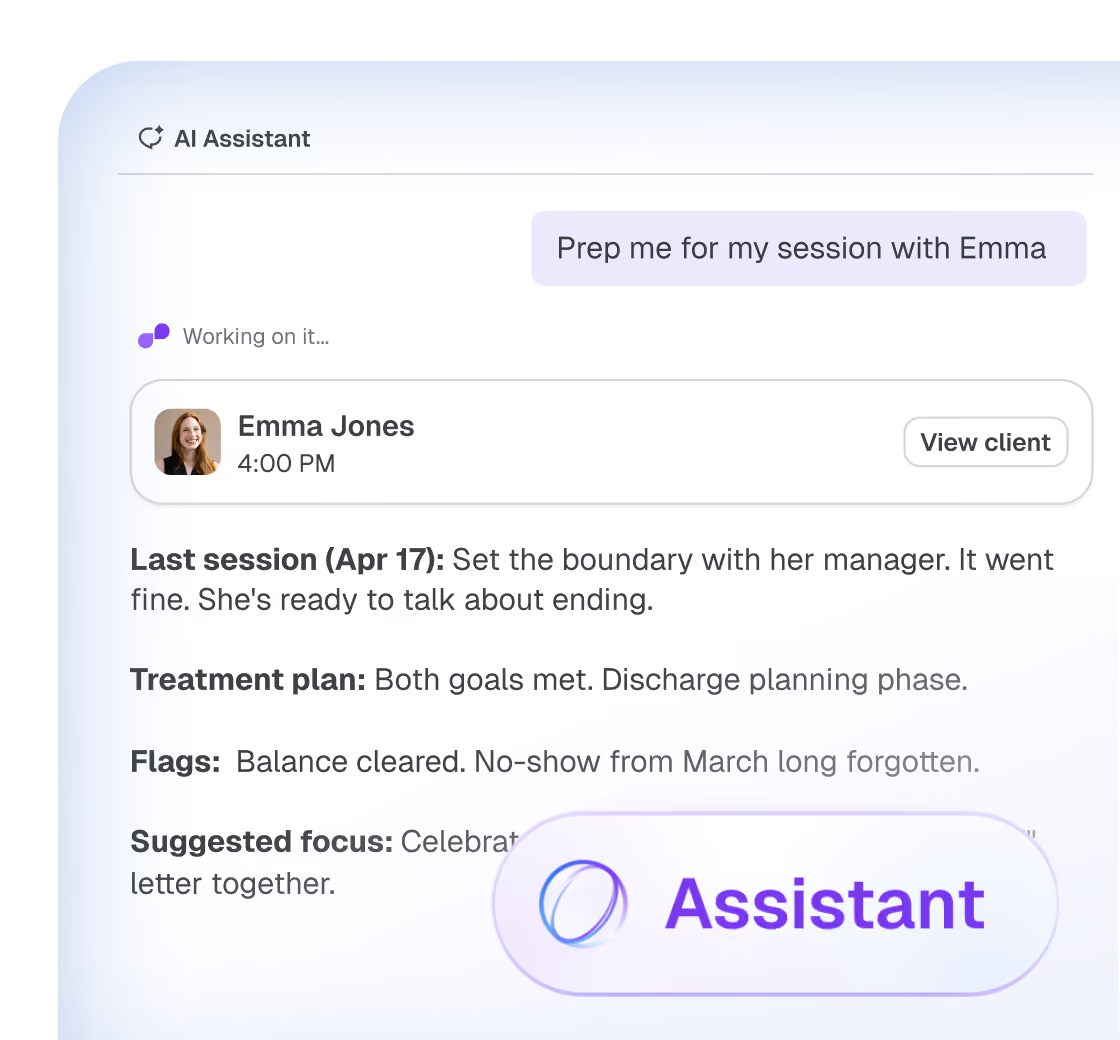
Ask anything. Upheal’s AI Assistant gets it done.
Ideas to start with

Since last time
Messages, forms, and notes since you last met.


Discharge summary
A discharge note built from the treatment arc.

Superbill
A superbill in seconds, not a form in ten minutes.

Denial appeal
A draft appeal written in the payer’s language.

Sick day
Every session moved and every client told.

Practice report
Ask for any report and get a table or chart.

Blind spots
An outside perspective on demand.
More ideas
Browse the Jobs Library.

Getting started
Start wherever you are.
AI Assistant
works inside both products

With AI notes
Help with your notes
It works from your notes and uploads, whatever you use for scheduling and billing.

Edit and polish a note
Prep for your next session
Draft letters and summaries
Answer questions about a client’s history

With the EHR
Your whole practice
Everything it does with AI notes, plus your calendar and billing. So it can act, not just write.
Book and move sessions
Message clients
Send invoices and superbills
Draft claims and appeals

Routines
The work that happens before you ask.
A routine is a job that runs on a schedule. Turn on the two we built, or describe your own in plain words. It does the checking, and waits for your OK.
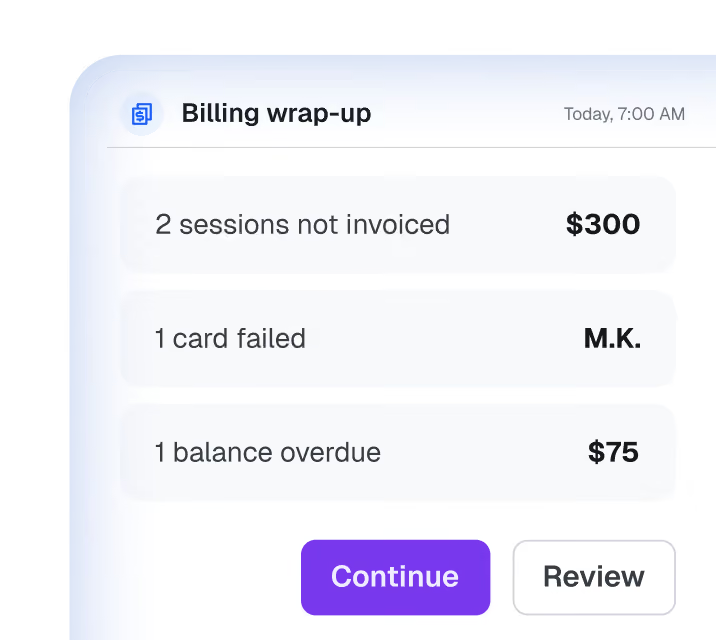
Daily billing wrap-up
Checks what self-pay clients owe, which charges failed, and which sessions aren’t invoiced, then posts a summary to Home.
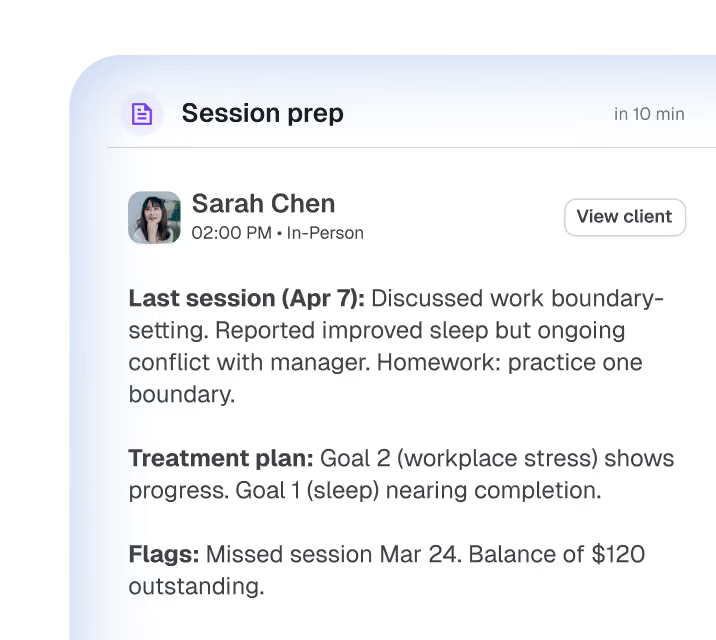
Session prep
A recap of the last session, loose ends and homework, and how measures are trending. Ready before you open the door.
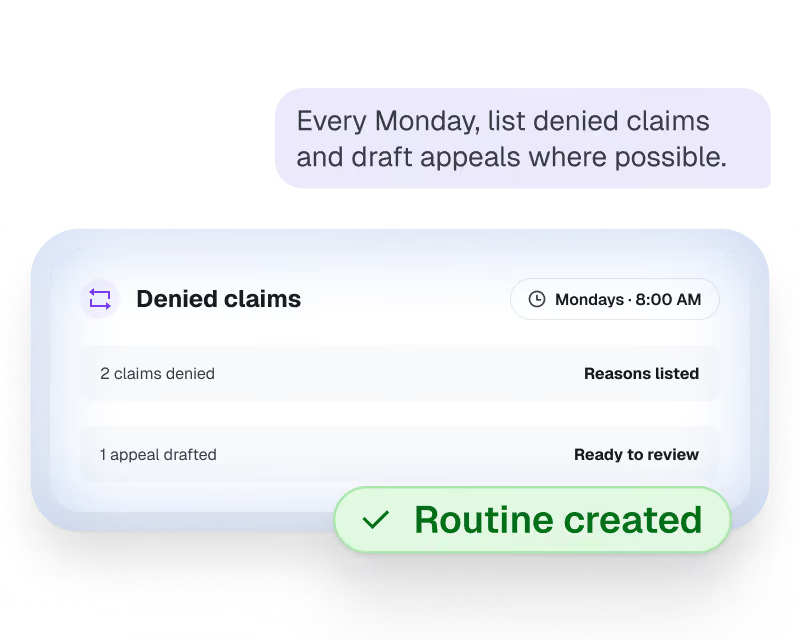
Make your own in plain words
Say what to check and when, the way you’d ask a colleague. The Assistant turns it into a routine. No rules to build, no settings to learn.
Make it yours
It works the way you do.

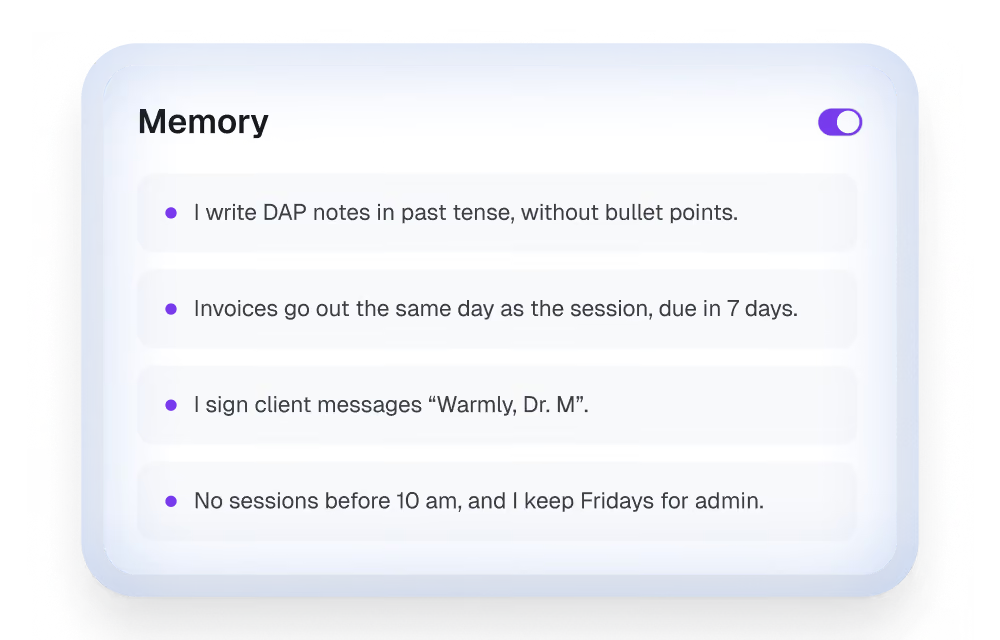
Memory
It remembers how you like things done. Tell it in a chat or write it in Settings, and turn it off any time.

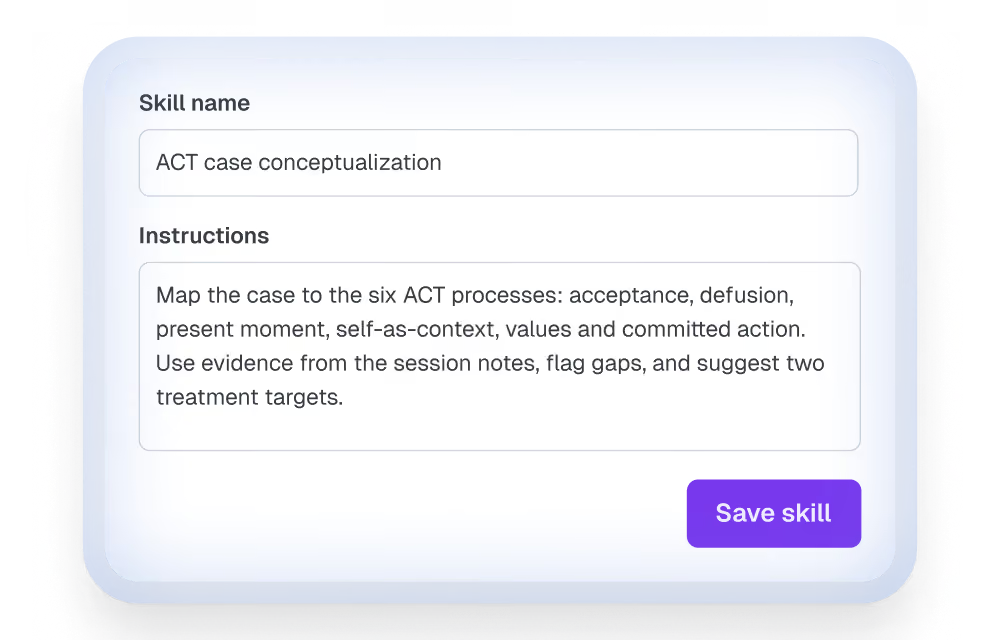
Skills
Your own instructions for specific tasks, from a client letter to worksheets that fit your modality. Just describe the skill you want.
In their words
From the therapists who use it most.
63%
said their weekly paperwork time went down
About 1 in 5
said by three hours or more
3 in 4
would be very disappointed if they could no longer use the Assistant
“The AI works within the EHR and not just for notes like SimplePractice. This means you can ask it questions about clients, have it add the copay correctly to an invoice, etc. without having to leave the screen.”
Keith Berube, Upheal user
“I discovered that I had billed the wrong amount for a client over many sessions, and was dreading having to go into each session to correct that mistake. The Assistant did it for me in batches and it saved me hours!”
Upheal therapist, on billing
“The last time I used it for session prep, the client was very happy that I remembered what we were talking about with details from the last session.”
Upheal therapist, on session prep
“I get the general trends quickly and am ready to go.”
Upheal therapist, on preparing for sessions
Always in control
Nothing goes out without you.
Every action waits for your OK, and every answer shows where it came from.

HIPAA
Compliant

PHIPA
Compliant

SOC 2
Type II

GDPR
Compliant

Asks before it acts
Nothing is sent or changed until you say yes.
Shows its sources
Every answer shows the records it used.
You make the clinical call
It suggests. You decide.
Why not ChatGPT?
Still copying notes into ChatGPT?
Generic AI isn't HIPAA-compliant, doesn't know your clients, and can't manage your schedule.

Generic AI
ChatGPT, Gemini, Claude

Compliance risks
Not HIPAA-compliant. Constant PHI exposure risks.
Manual data entry
Copy-paste anonymized notes, every time.
Zero memory
Re-explain the clinical context each session.
Answers only
Gives you text to paste elsewhere.
Upheal Assistant
Inside your practice
Secure by design
HIPAA-compliant by design. No copy-paste risk.
Zero data entry
Already knows your clients, notes, and treatment plans.
Clinical continuity
Remembers the full clinical journey across all sessions.
Takes action
Takes care of your scheduling, notes, bills, and emails.
See it in action
See how Upheal Assistant handles real multi-step workflows, or browse every Assistant job.
Pricing
Start free. Go unlimited with
Assistant Pro.
The free version of Assistant comes with every Upheal plan, but some actions have a monthly usage limit. Add Assistant Pro for $39/month for unlimited access.
Free
Assistant Pro
Editing with Assistant
Make quick, powerful edits for formatting, tone, and content to your notes and Treatment Plans
Unlimited
Unlimited
Upheal how-to questions
Get instant answers about Upheal features
Unlimited
Unlimited
Case questions & insights
Surface details, highlight treatment trends, track progress, and much more
Limited
Unlimited
Routines
Get reminded automatically of what you were working on and what’s planned, just in time for the next session
Limited
Unlimited
Billing support
Draft appeal letters, generate invoices, track balances, and more
Limited
Unlimited
Drafting documents & letters
Generate discharge summaries, referral letters, and clinical reports
Limited
Unlimited
Context from your documents
Upload files, from evaluations to ERAs, for your Assistant to analyze and work from
Limited
Unlimited
Automated routines
Offload whole workflows to routines like Billing wrap-up, always ready to get things done for you
Limited
Unlimited
Custom reports
See stats on your caseload, revenue, claims, and more, all in easy-to-interpret charts
Unlimited
Questions therapists ask about Upheal’s AI Assistant
Is it safe to let an AI assistant schedule and communicate with therapy clients?
What admin tasks can a therapist realistically hand off to an AI assistant?
Session prep, note drafts, letters and summaries, treatment plan updates, rescheduling and client messages, invoices and superbills, claim checks and appeal drafts, and routine checks like unsigned notes. The Jobs Library collects ideas to start from; you can ask for work that isn't listed in your own words.
How do I automate my admin without losing control?
With routines: scheduled jobs that check and draft in the background, post what they found to your Home screen, and wait for your tap on each action.
How much does Upheal Assistant cost? Is there a plan under $100?
The Assistant is included on every Upheal plan with a monthly usage limit. Assistant Pro, with unlimited AI Assistant and session prep, is $39 per month on any paid plan, and it is included in EHR Pro at $99 per month.
Does it handle scheduling, reminders, and no-show follow-ups?
Yes. Ask it to move a session, clear an afternoon, or book a client and it updates the calendar and drafts the client messages. Reminders go out from Upheal scheduling. For no-shows, ask for a follow-up message, or set an evening routine to draft them.
How is Upheal Assistant different from ChatGPT? Is ChatGPT HIPAA compliant?
Standard ChatGPT is not HIPAA compliant, does not know your clients, and cannot act in your calendar or billing. Upheal Assistant works inside your HIPAA-compliant practice with the record already there, and finishes the job rather than handing you text to paste.
Can I talk to the Assistant instead of typing?
Yes. Tap the microphone and say what you need, the same way you would type it.
Does it work if I use another EHR for scheduling and billing?
Yes. It works from your Upheal notes and anything you upload: prep, letters, summaries, and clinical questions. The scheduling, billing, and claims jobs need your practice in Upheal.
Does it work for group practices?
Yes. Every clinician gets the same Assistant on the same record. See the group practices page for roles, oversight, and assisted migration.
You didn't build a practice to spend it on admin
Start getting more done with Upheal Assistant today.

100% HIPAA compliant
No credit card required
Free plan