
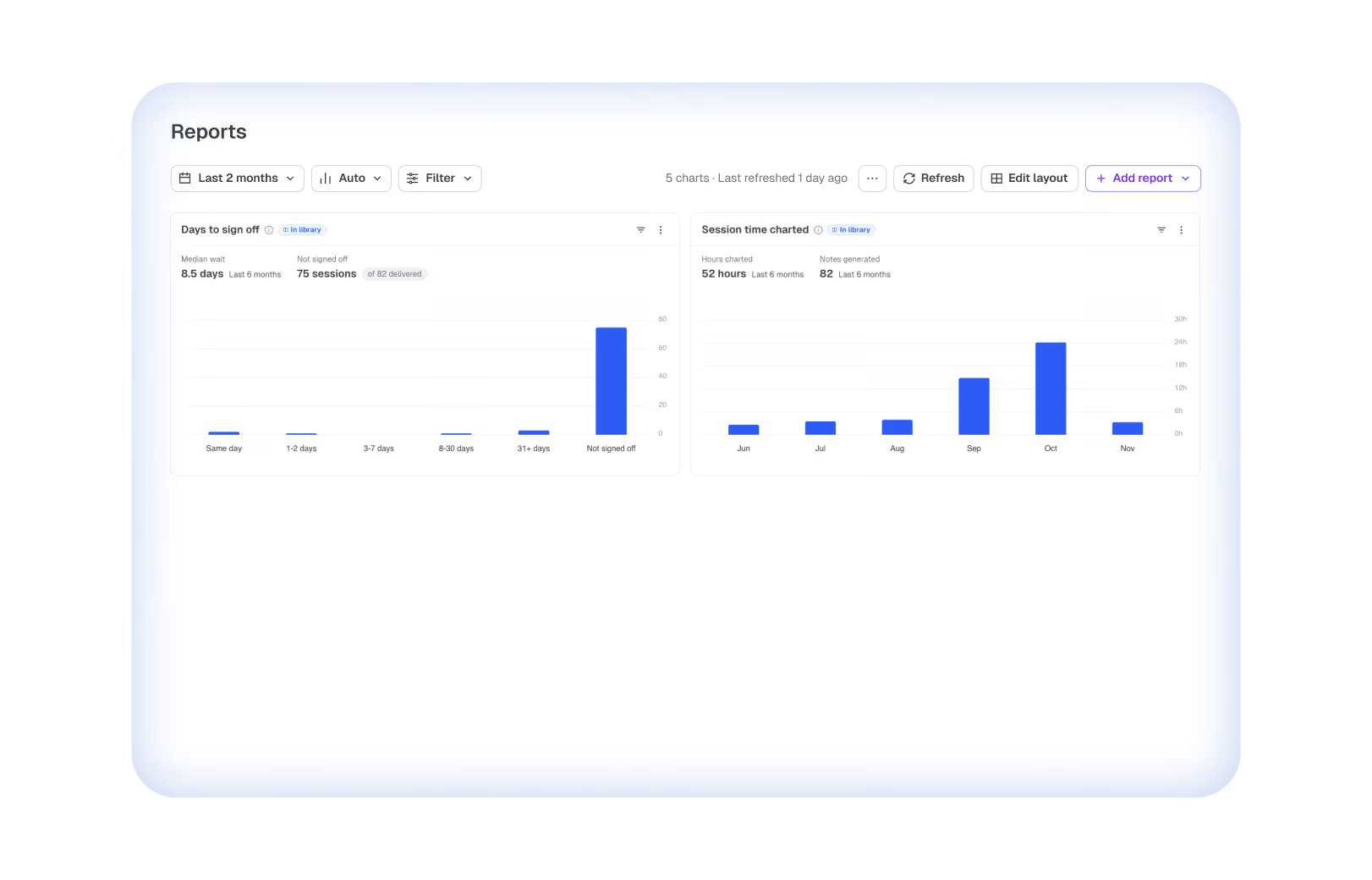
Upheal Reports is the EHR reporting and dashboards section built into Upheal, the AI-native EHR for therapists and group practices. It includes a library of prebuilt reports, five prebuilt dashboards, and the option to ask Upheal Assistant for any report in plain language.

Reports
The report you’ve always wanted is one question away
Start with a library of reports practices already rely on, tailor them to your practice, or ask Upheal Assistant to build a new one.

4.6 on Trustpilot

SOC 2 Type II audited

HIPAA compliant
How it works
Ask. Get a live report.
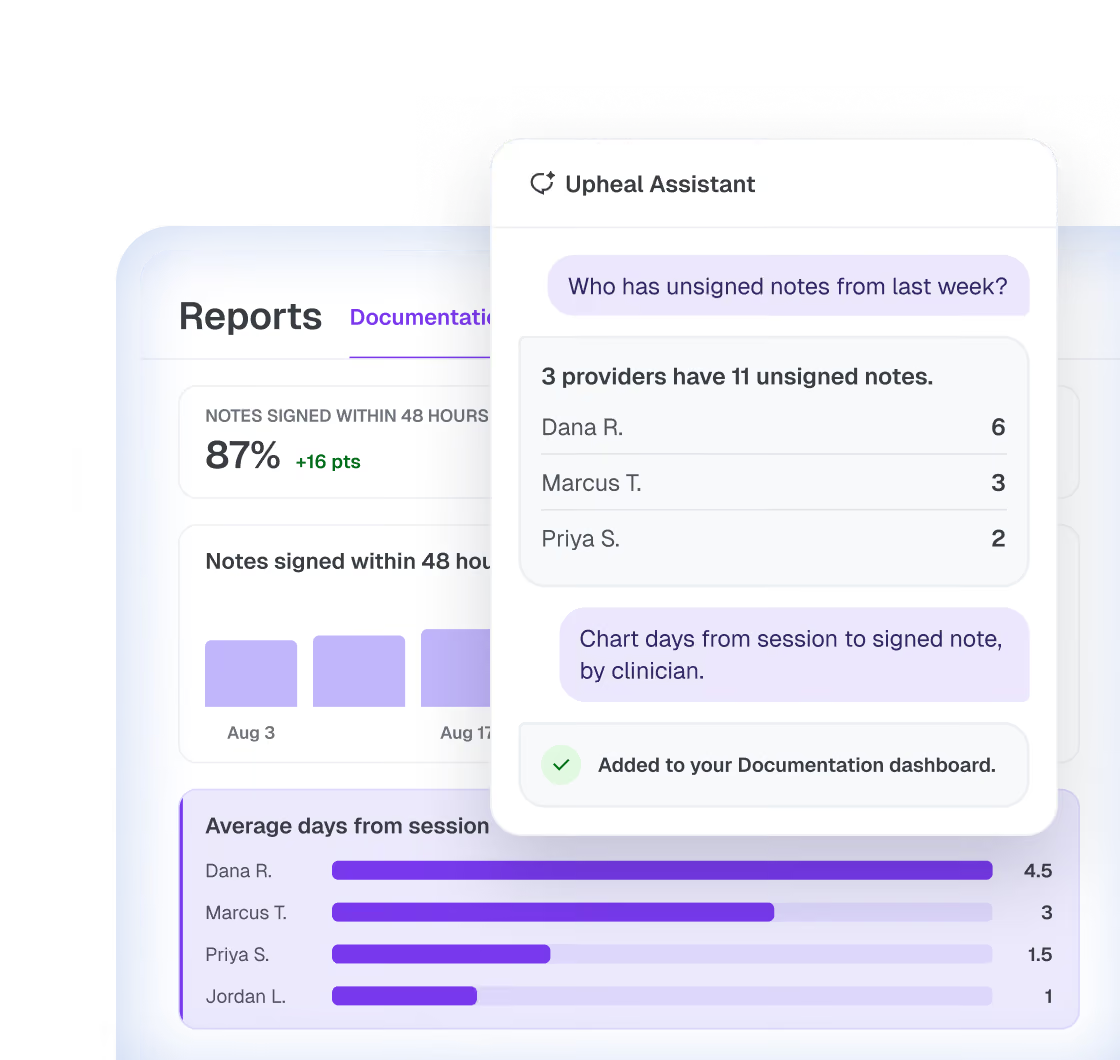
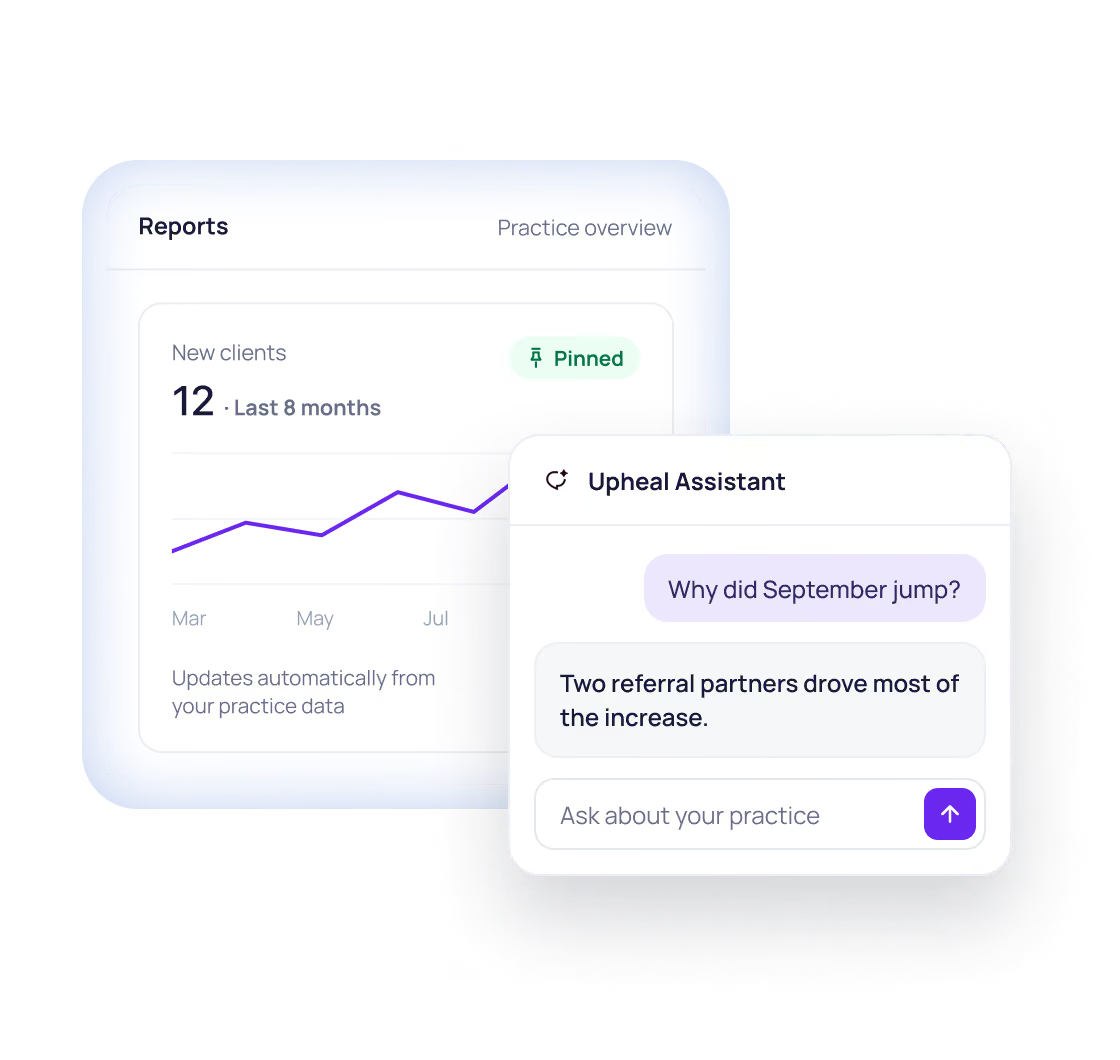
Ask Upheal Assistant a question and get a live chart from your practice data. Pin it to a dashboard and it stays up to date—unlike fixed EHR reports.
1
Ask in your own words
Ask about your practice the way you’d ask a colleague.
2
Get a live report
Assistant builds the chart from the data already in Upheal.

Note turnaround and revenue, charted
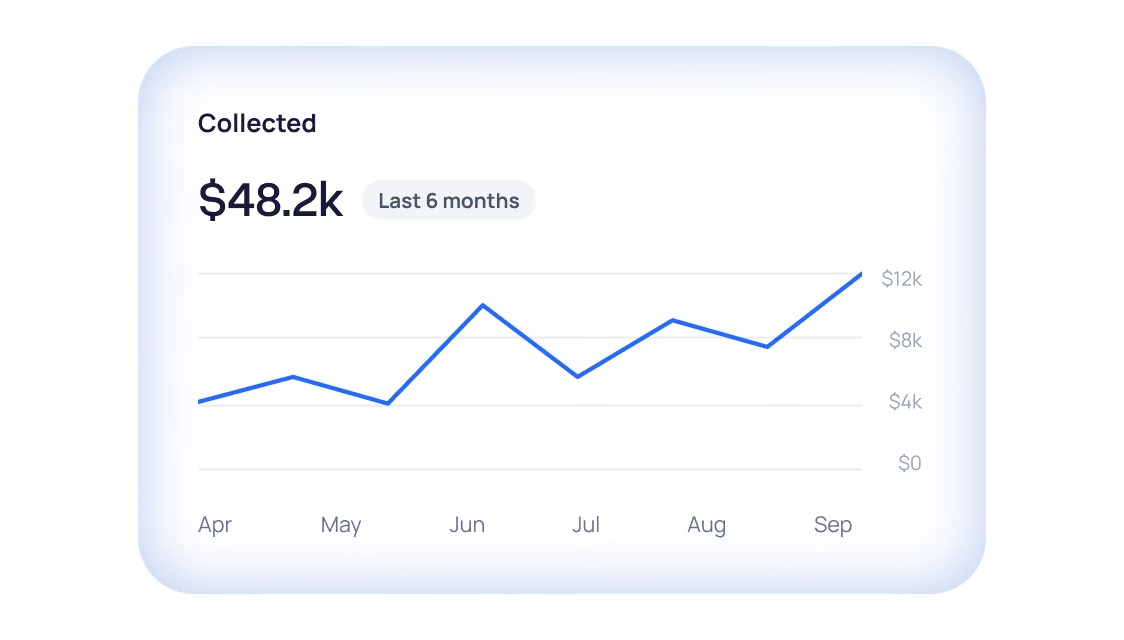
Track how quickly notes get signed and what your practice brings in, with charts that stay current on their own.

Note turnaround
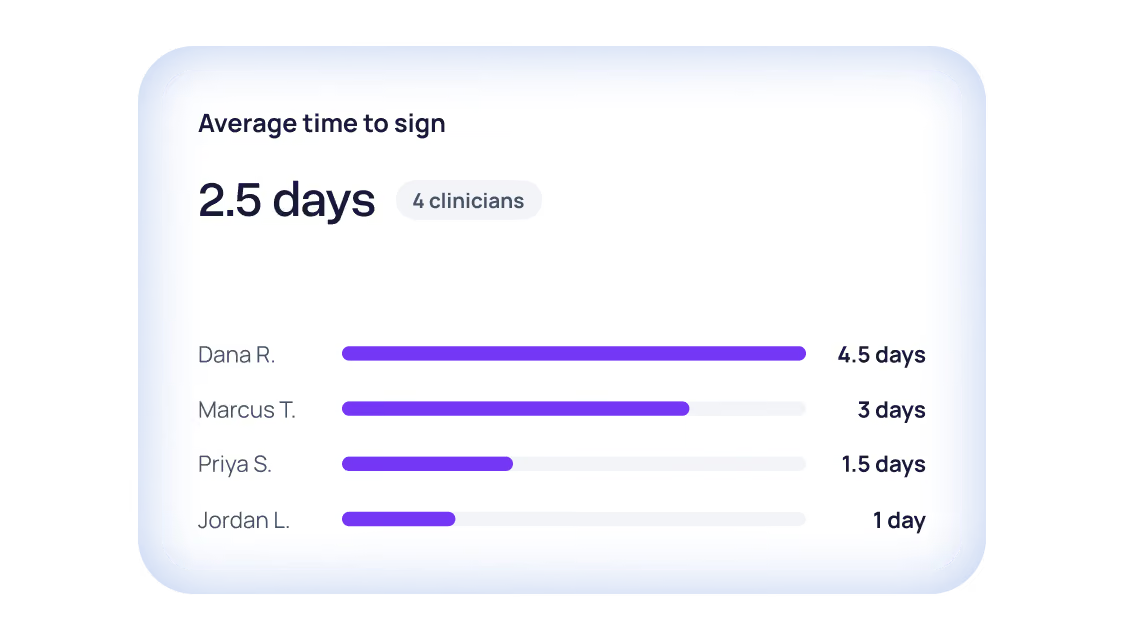
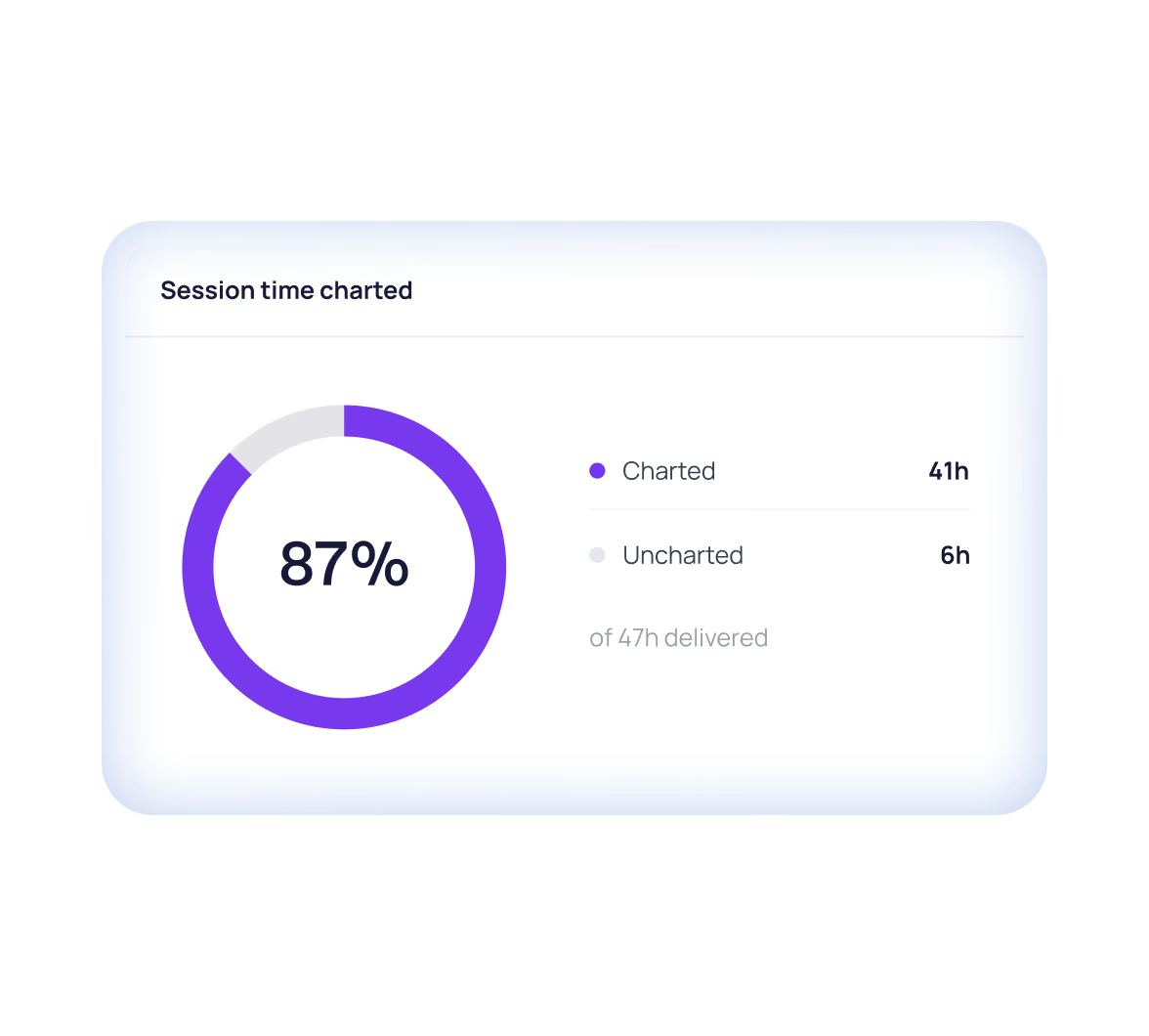
Track time from session to signed note by clinician. Catch backlogs before they become audit risks or Friday-night work.

Practice revenue
Track client and insurance payments by week or month. Ask the Assistant to compare this quarter with the last one.
Only in Upheal
What Upheal shows you that other EHRs can’t
Along with note turnaround, these reports aren’t in SimplePractice, Jane or TherapyAppointment.
The reports group practices need
See how full each clinician’s schedule is, what their work brings in, whether notes are signed on time and how quickly new clients can get in.
Is each clinician carrying their caseload?
Upheal reports
Sessions per week
Hours delivered by provider
What does each clinician’s work bring in?
Upheal reports
Self-pay billed vs collected by provider
Are notes being signed on time?
Upheal reports
Days to sign off
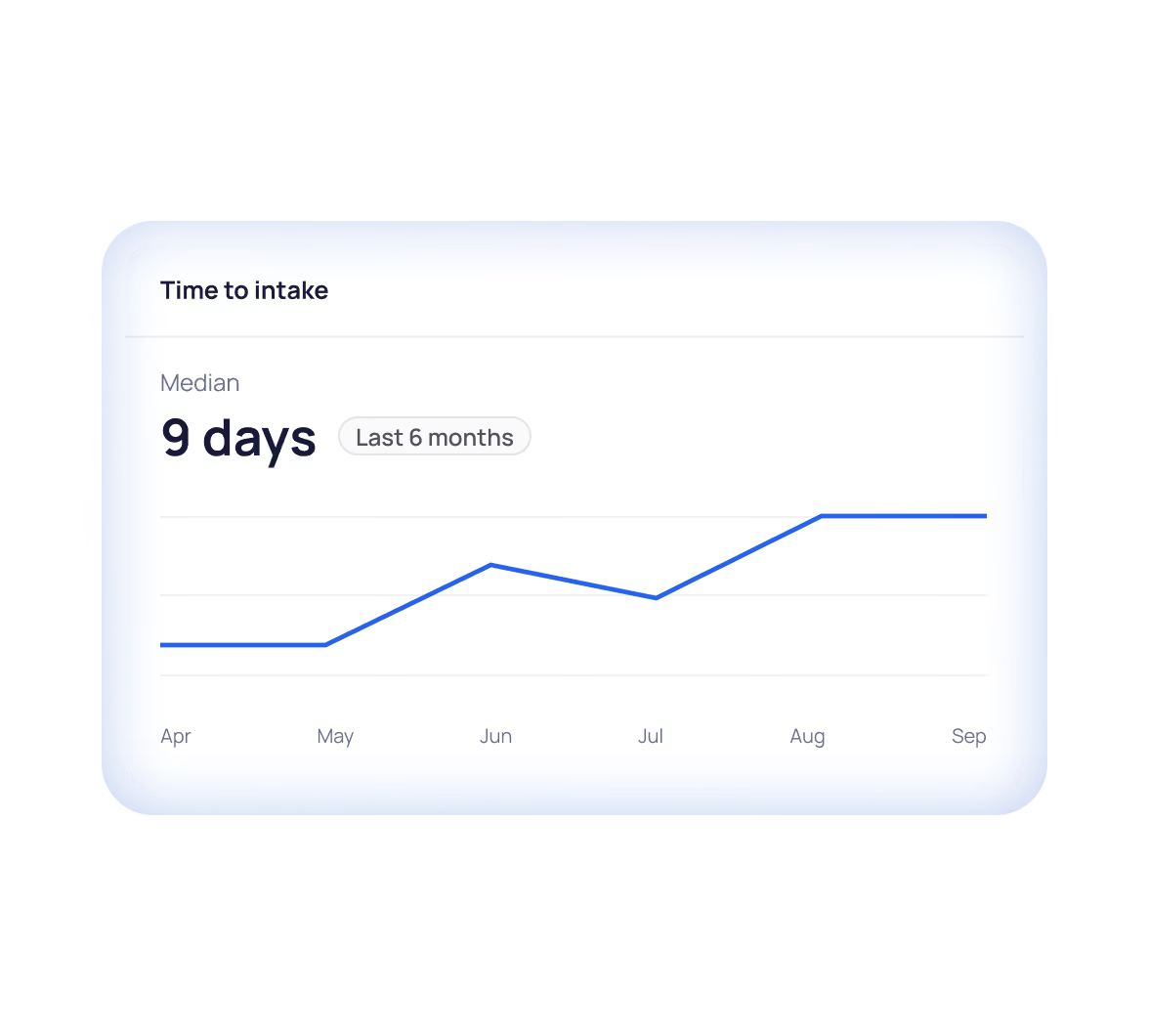
Can new clients get in quickly?
Upheal reports
Time to intake
Dashboards that start filled in
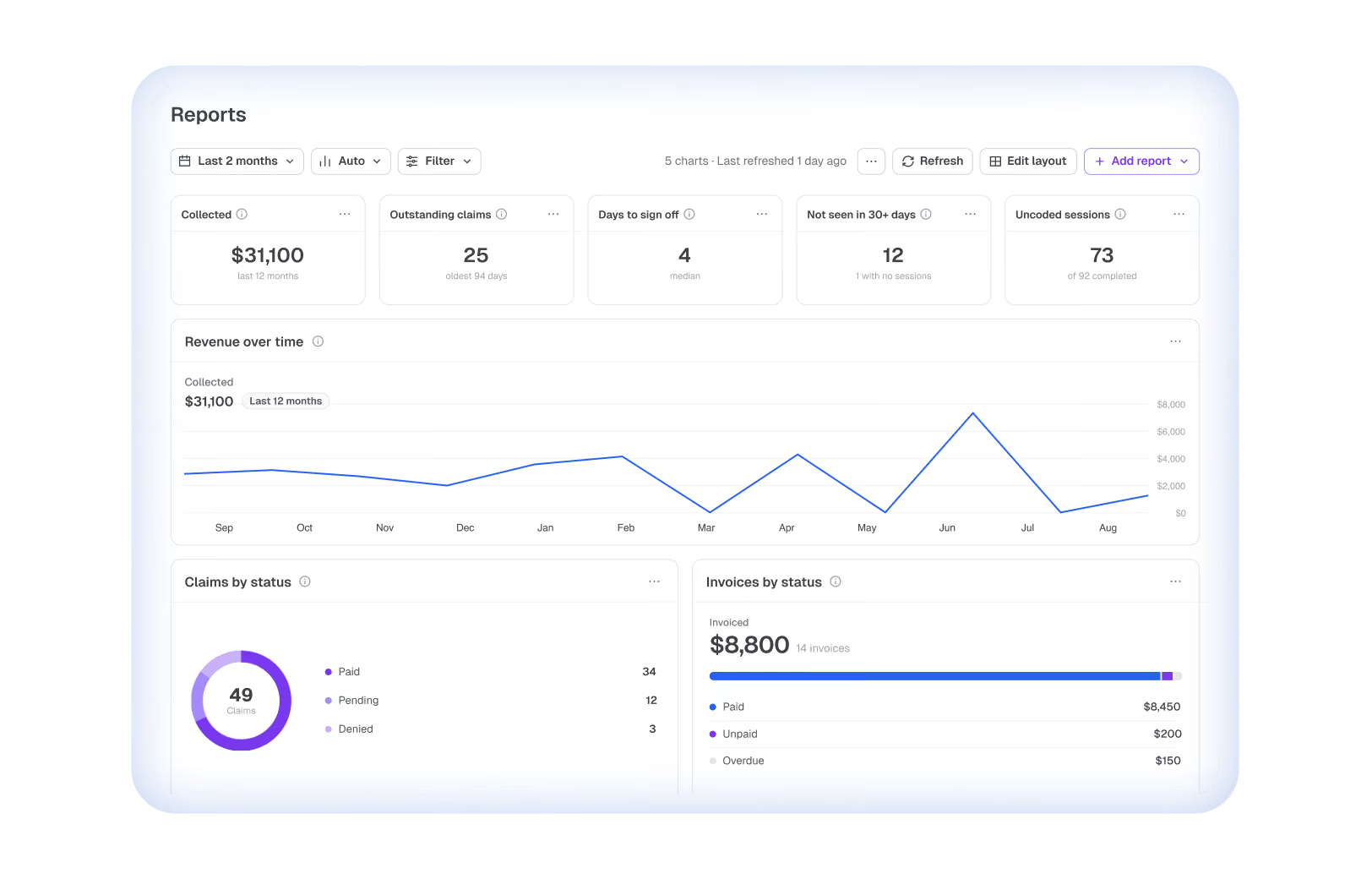
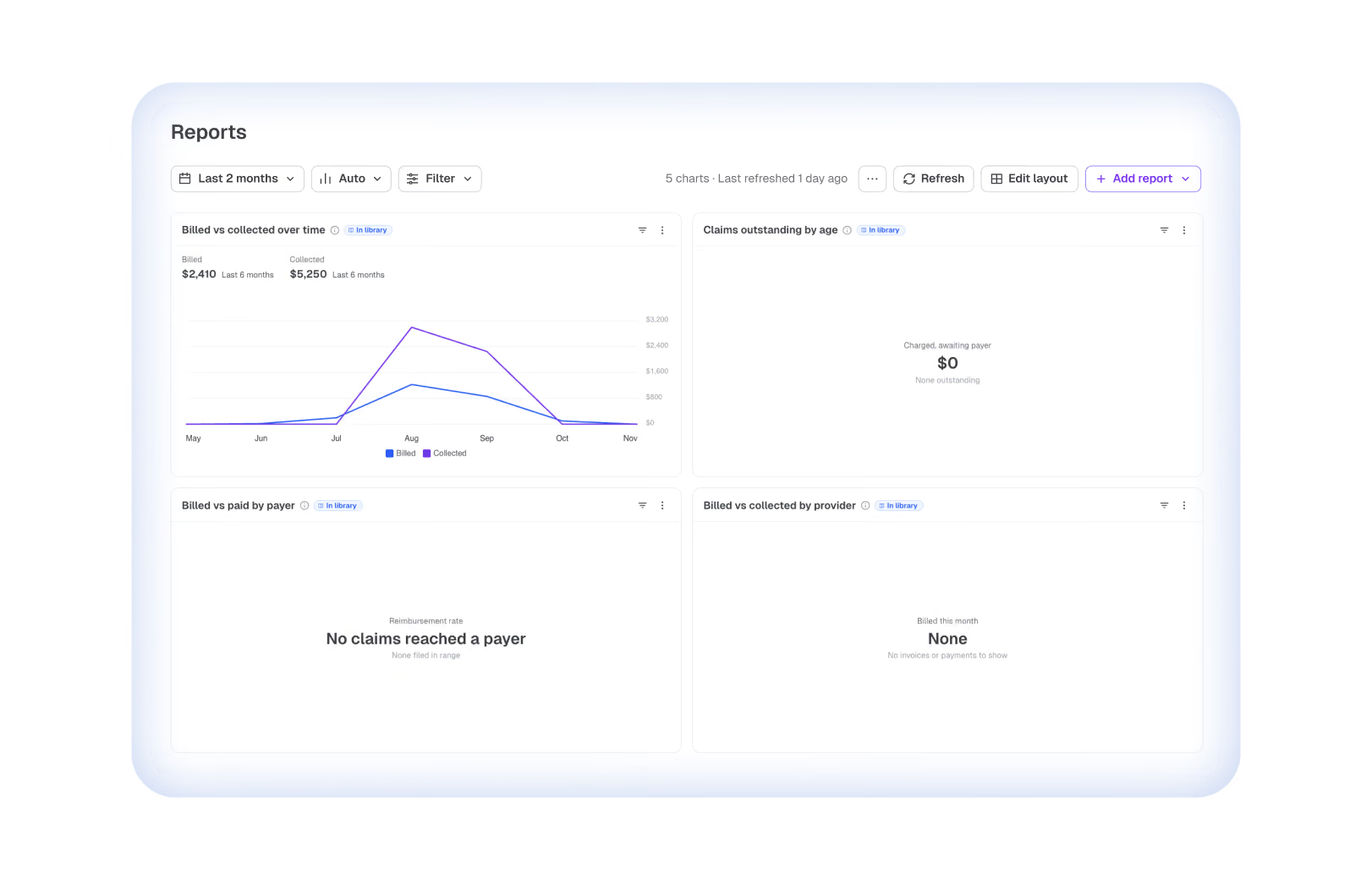
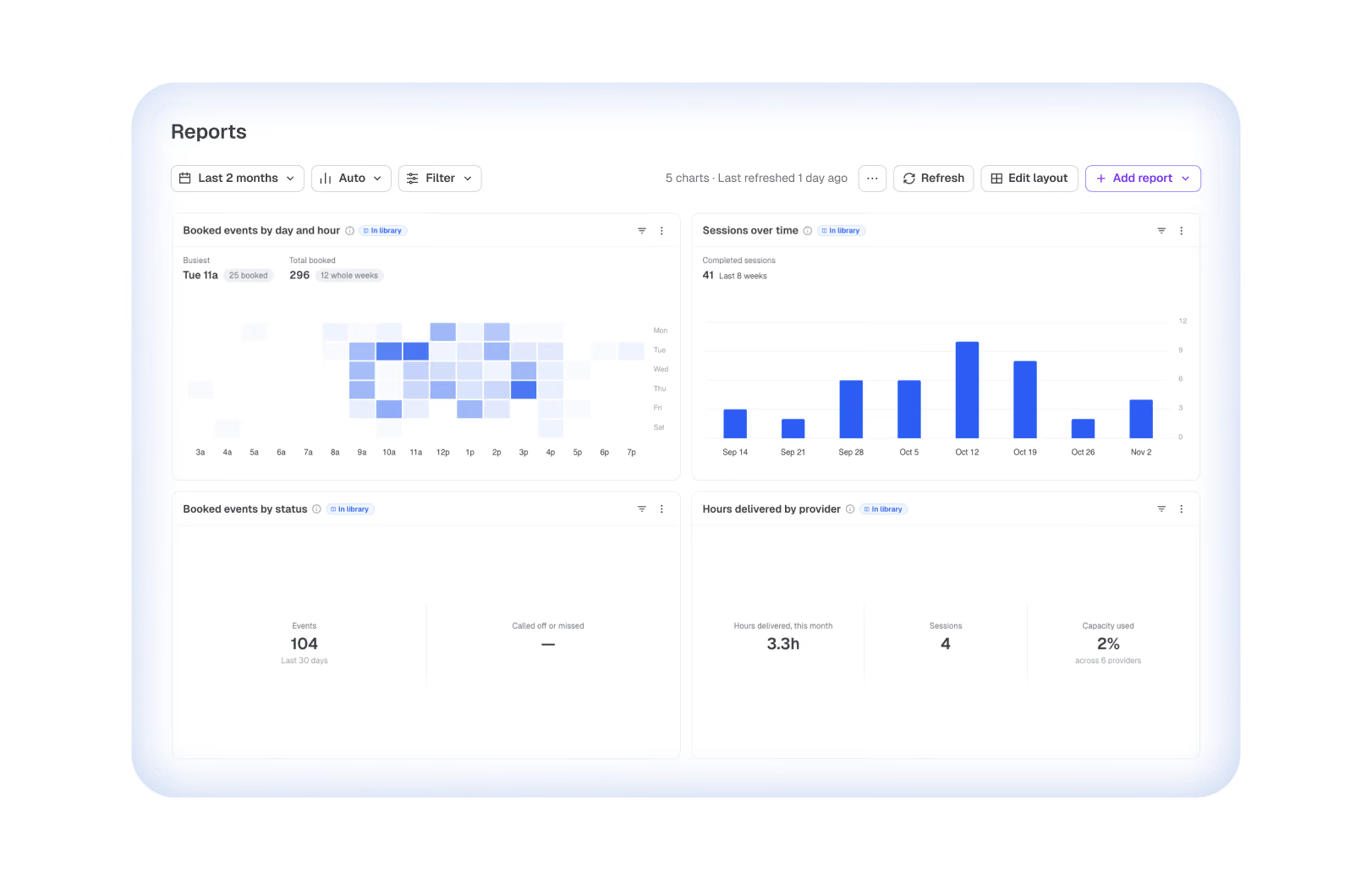
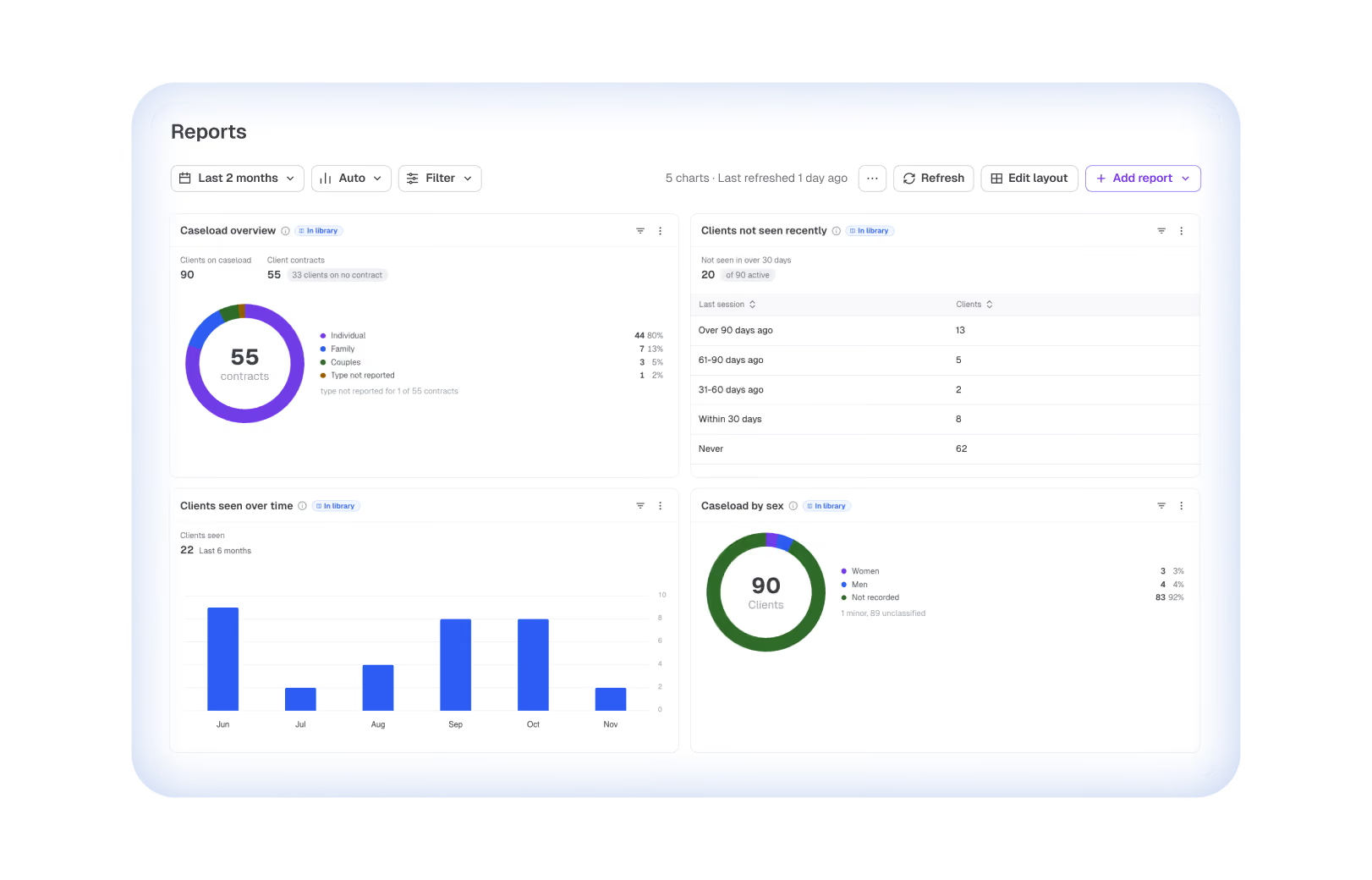
Open Reports to five dashboards already filled with your practice data.
Explore 18 reports practices already rely on

Money
Revenue over time
Outstanding invoices
Overdue by age
Invoices by status
Claims by status
Claims outstanding by age
Insurance reimbursement by payer

Sessions
Sessions per week
Hours delivered by provider
CPT code breakdown
Billed by service code
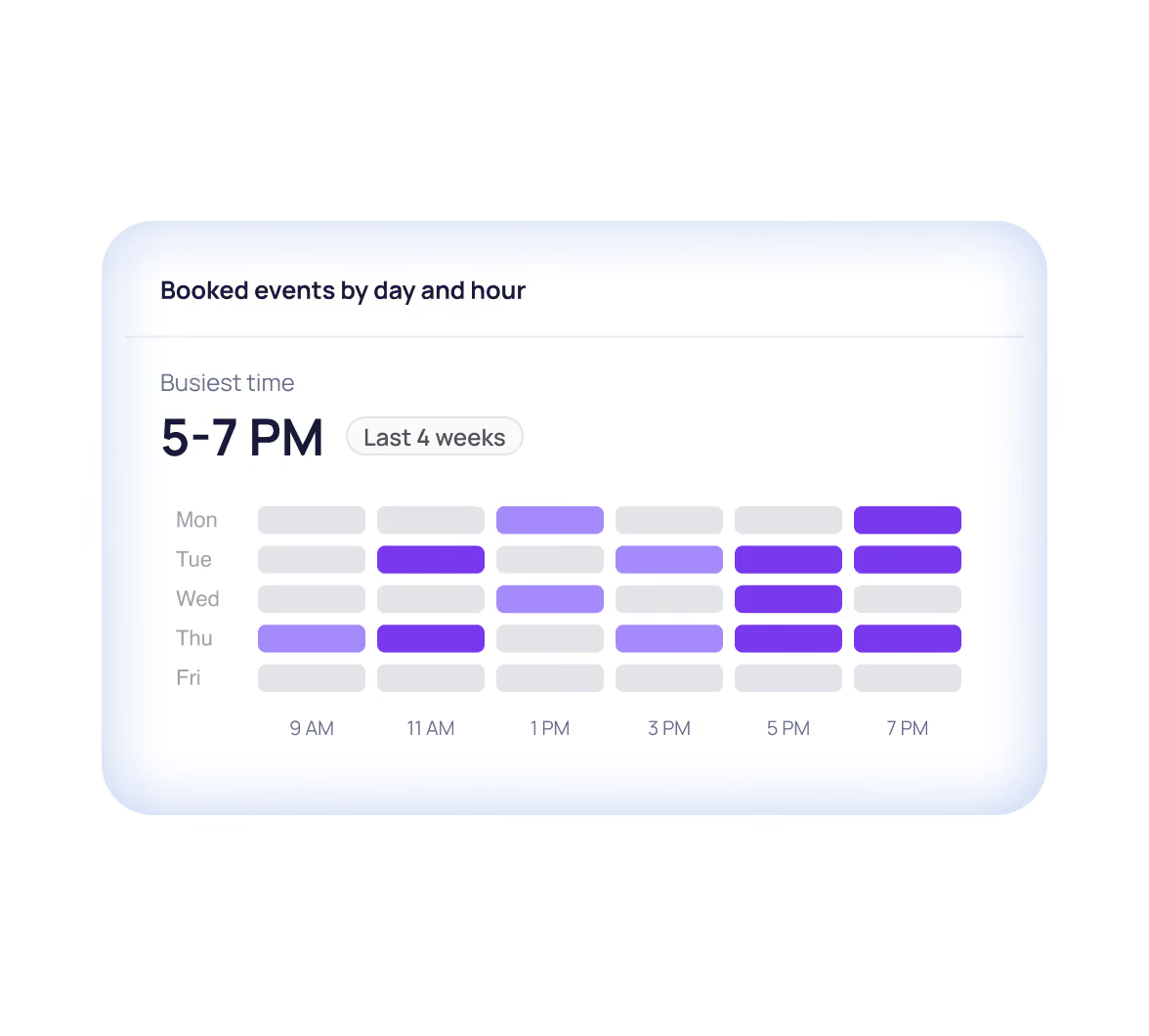
Booked events by day and hour
Only in Upheal

Clients
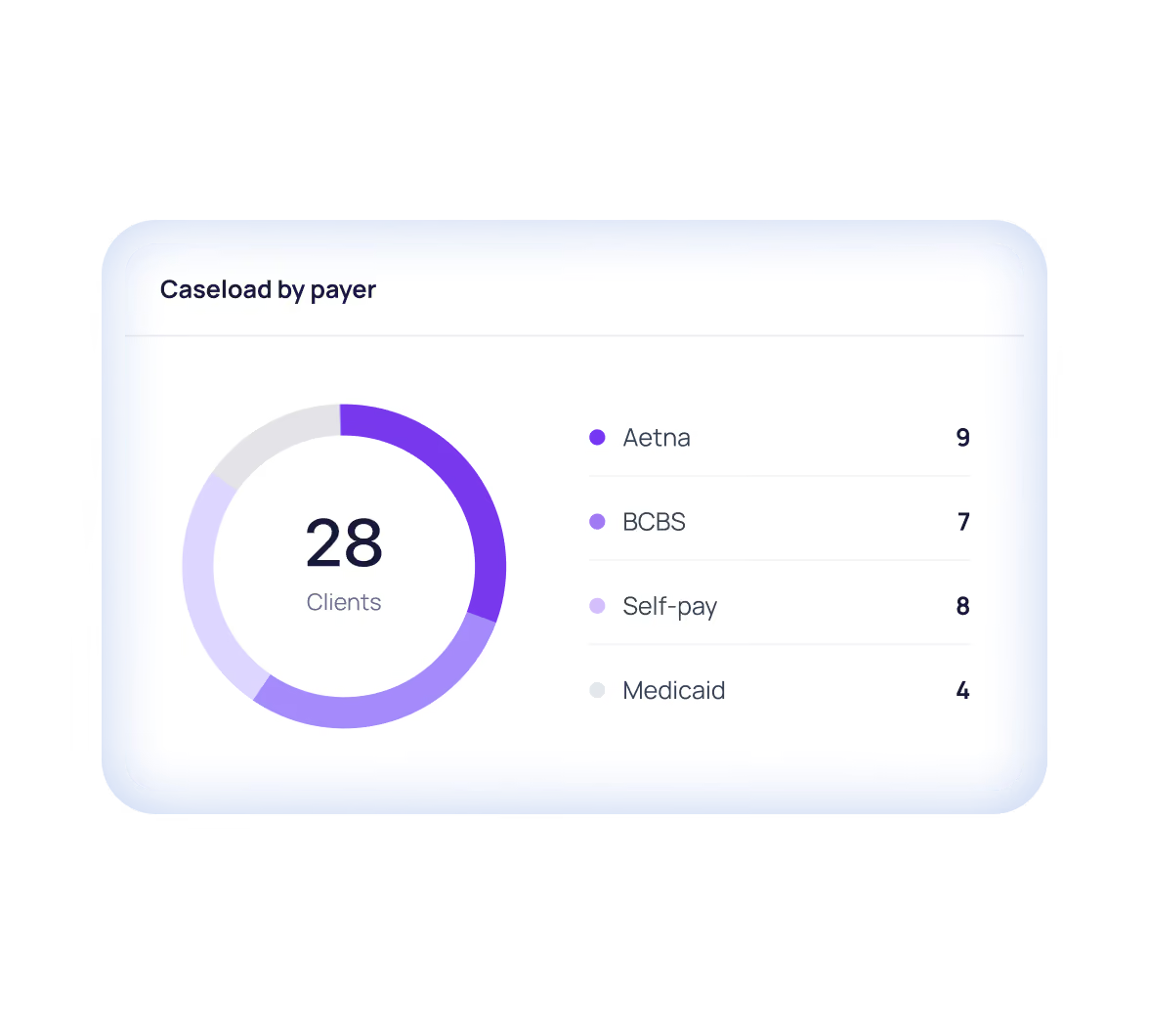
Caseload overview
Caseload by age band
Caseload by payer
Only in Upheal
Time to intake
Only in Upheal

Documentation
Session time charted
Days to sign off
Only in Upheal
Send your bookkeeper the numbers, not a screenshot
Download any report as an image or spreadsheet, ready to share, sum or sort.


“My hope is to be able to provide a breakdown of paid invoices and the total amount of money billed and paid by clinician, so we can provide that figure to our bookkeeper.”
How do Upheal’s reports compare to SimplePractice?
The core reports you expect, plus flexible reporting on documentation, payer mix and access to care. A few reports aren’t available yet—they’re marked below.




Ask for a report that isn’t on the menu
Income over time
Aging of what’s owed
Time from session to signed note
Active clients by payer
Time to a new client’s first appointment
Referral source
Not yet
Attendance and no-shows
Not yet
Questions about Reports
What is Upheal Reports?
What reports can I run in Upheal?
You can run revenue, claims, invoice, session, caseload, and documentation reports, and ask Upheal Assistant for any chart that isn’t in the library. Five dashboards are set up for you, and you can add or remove reports on each one.
What should a therapy practice dashboard show?
A therapy practice dashboard should show sessions, revenue, what’s still owed, and how quickly notes get signed, all filterable by clinician. Upheal sets up five dashboards for you (practice overview, payments, sessions, clients, and documentation) based on whether you use AI notes only or the full EHR, and whether you take insurance.
How do I track unpaid insurance claims in my practice?
In Upheal, open the Claims outstanding by age report to see every unpaid claim grouped by how long it’s been waiting. Claims by status shows where each claim is in the process, and you can filter both by clinician.
Can I see revenue by clinician?
Yes, for self-pay sessions: the Self-pay billed vs collected by provider report shows what each clinician billed and what was collected. For insurance, Insurance reimbursement by payer shows how each payer pays. Revenue over time includes both client and insurance payments.
Can I see how long notes take to sign?
Yes, the Days to sign off report shows the average time from session to signed note for each clinician, as a trend. It’s on the Documentation dashboard and works with AI notes only or the full EHR.
Are the numbers made up by AI?
No, the numbers come straight from your records. Every report, including the ones you ask the Assistant to build, shows your latest practice data each time you open it.
Can I export my reports?
Yes, you can download any report as a spreadsheet or an image. The spreadsheet includes the headline numbers and every chart value. Filter by date or clinician before you download.
Does Upheal track no-shows?
Not yet. Reports show booked events by status, including cancellations, but there’s no no-show report today. If you need one, tell us on the roadmap.
I only use Upheal for AI notes. Do I get Reports?
Yes, with AI notes only you get the documentation reports. The full EHR adds revenue, claims, session, and client reports.
Is my practice data kept private in Reports?
Yes, Reports only uses records already in Upheal, and each person sees only what their role allows. Upheal is HIPAA compliant and independently audited for SOC 2. Read more on the privacy and compliance page.
Ask your first question about your practice
Your dashboards are ready as soon as you sign in. Already use Upheal? Open Reports from the main menu.

HIPAA compliant
Reports on every plan
No credit card needed